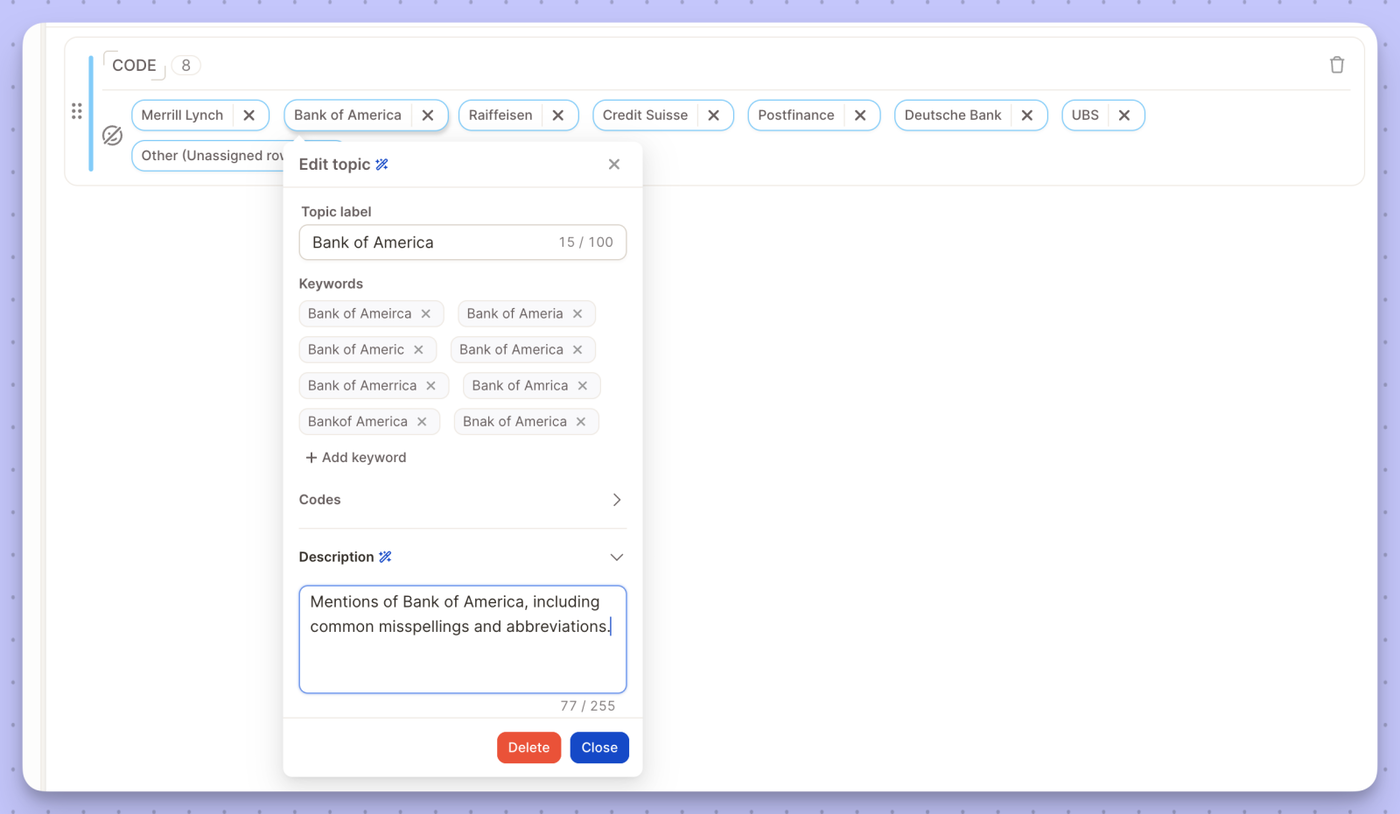
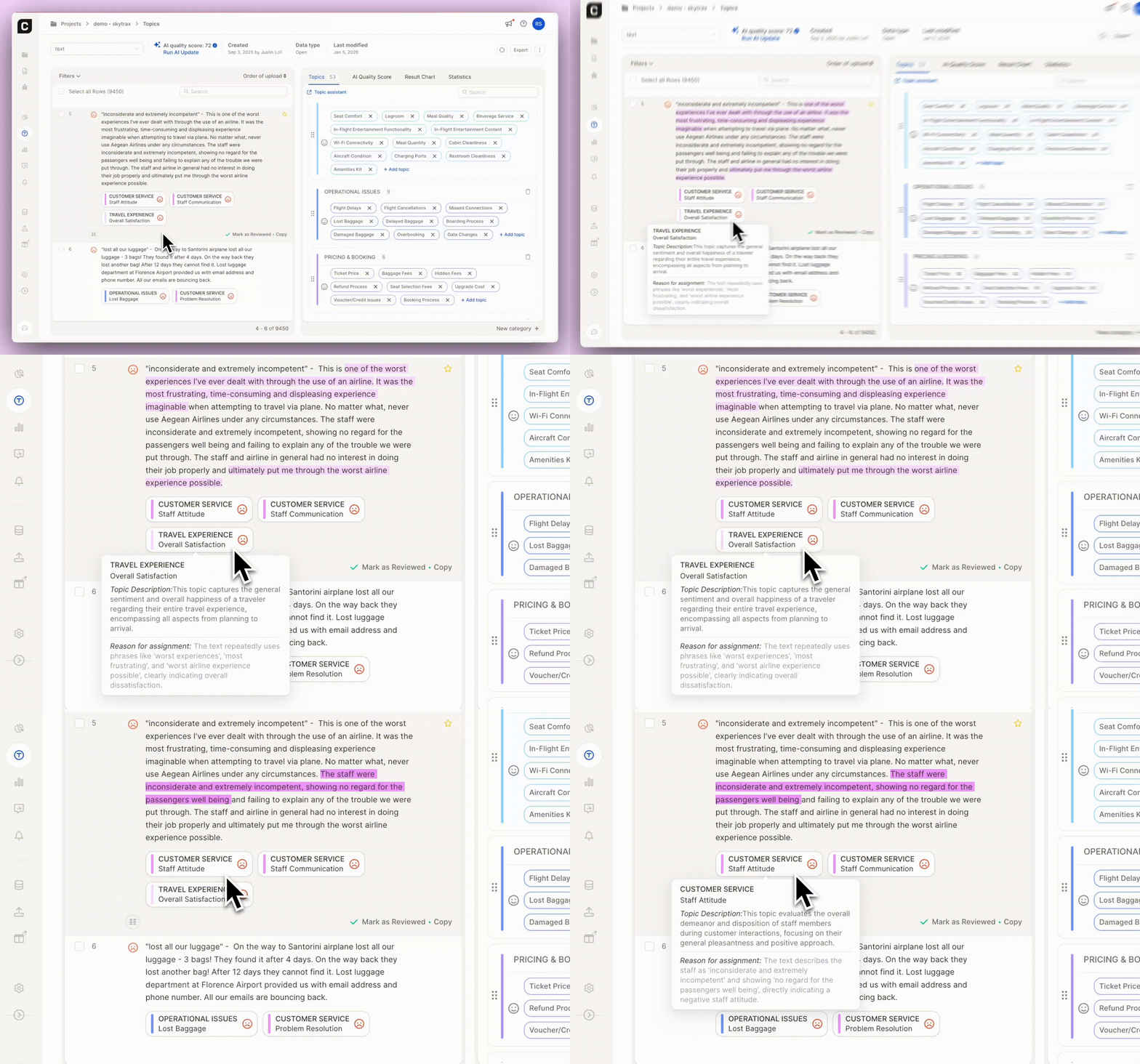
Semi-open topics now have alphabetically sorted keywords and a clearer layout, with keywords always visible and descriptions in an expandable section. Manual AI updates let you choose when to update topics — with unlimited updates.
We're giving you more room to experiment with Smart Column and Topic Assignment: more included runs, and cheaper overage on top. Here's what's new.
Smart Columns
Included LLM runs per row are doubling across the board:
Enterprise: 2 → 4
Team: 1 → 2
Agency: 2 → 4
And if you do go over, it's a lot cheaper now: overage pricingdrops from 0.25 to 0.1 credits per row, on every plan.
Topic Assignment
Same story here. Included runs go from 4 to 6 on Enterprise, Team, and Agency plans, and overage pricing falls from 0.5 to 0.2 credits per row across all plans.
Nothing to do on your end — these upgrades are already live on your account, and they apply to existing projects and Smart Columns too, not just new ones.
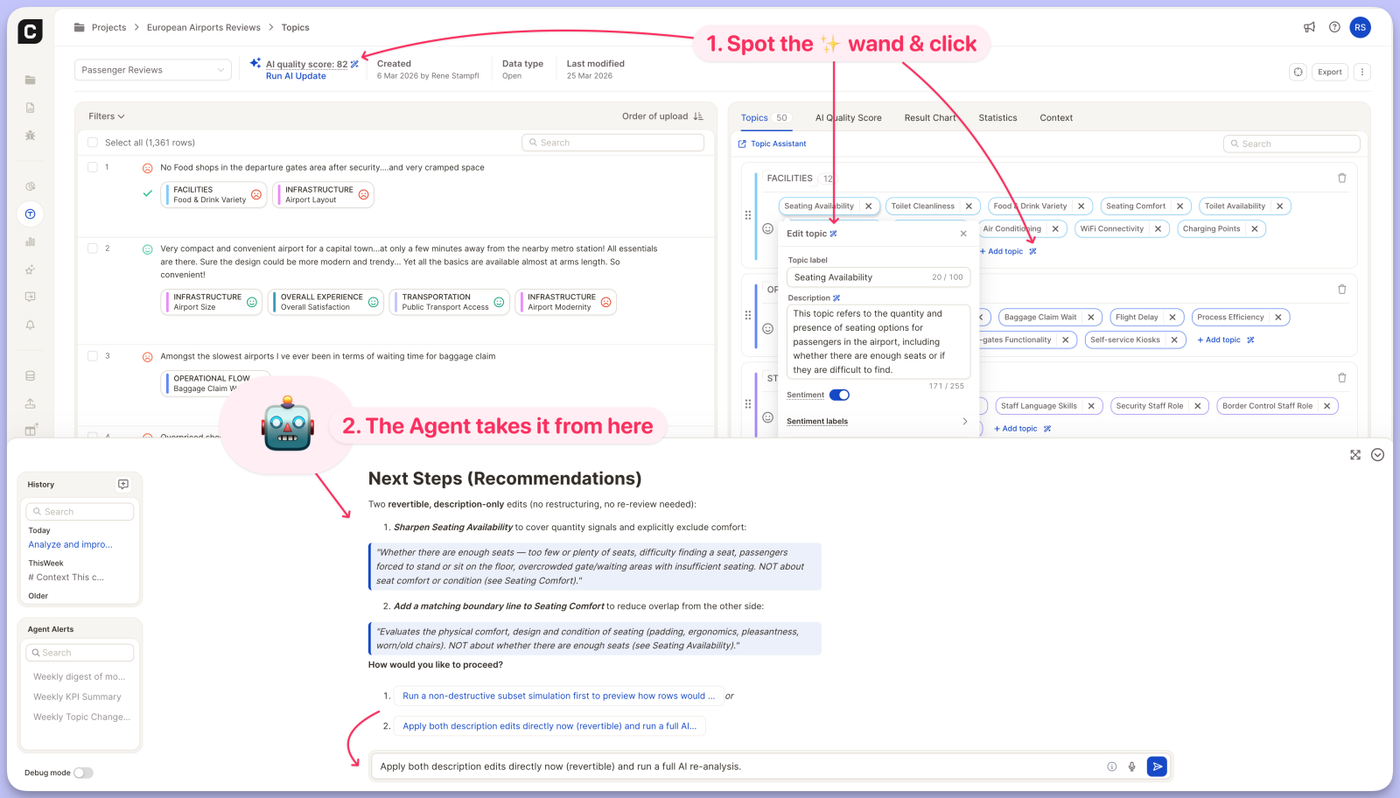
You no longer have to explain to the Insight Agent what you want it to work on. A small magic-wand icon now sits next to the parts of your project where the Agent can help — click it, and the Agent opens with a ready-to-run prompt already filled in for that exact element. We're starting with the Topics view, and you'll see the wand appear next to more elements across Caplena over time.
What's new
Look for the ✨ icon next to these elements in your Topics view:
AI quality score → "Optimize the AI quality score"
Add topic → "Suggest more topics for category {CATEGORY}"
Edit topic → "Analyze and improve assignment of topic {TOPIC} in category {CATEGORY}"
Topic description → "Improve description for topic {TOPIC} in category {CATEGORY}"
Each prompt is automatically filled with the right context — the category and topic you're looking at — so you can send it as-is or tweak it first. When you click the icon, the Agent panel opens automatically so you can see the prompt land and hit send.
Why it matters
The Insight Agent can already optimize topics, sharpen descriptions, and lift your AI quality score. The hard part was knowing where to start and how to phrase the ask. These shortcuts remove that step: the Agent now meets you exactly where the work is, with the context already in hand.
Give it a try in any Topics view — just look for the wand.
Semi-Open mode just got significantly better for large tracking studies like brand trackers.
What's new:
Import keywords directly — You can now import a keyword list into Semi-Open projects, making it much faster to set up and maintain large, structured topic collections.
Increased stability — We've improved how Semi-Open handles large volumes of short-text data, reducing inconsistencies in clustering results.
More configuration options in settings — New controls give you finer-grained tuning over how the algorithm groups and assigns topics, so you can match it to your specific data structure.
Keep your topic collection in sync across projects — without rebuilding from scratch.
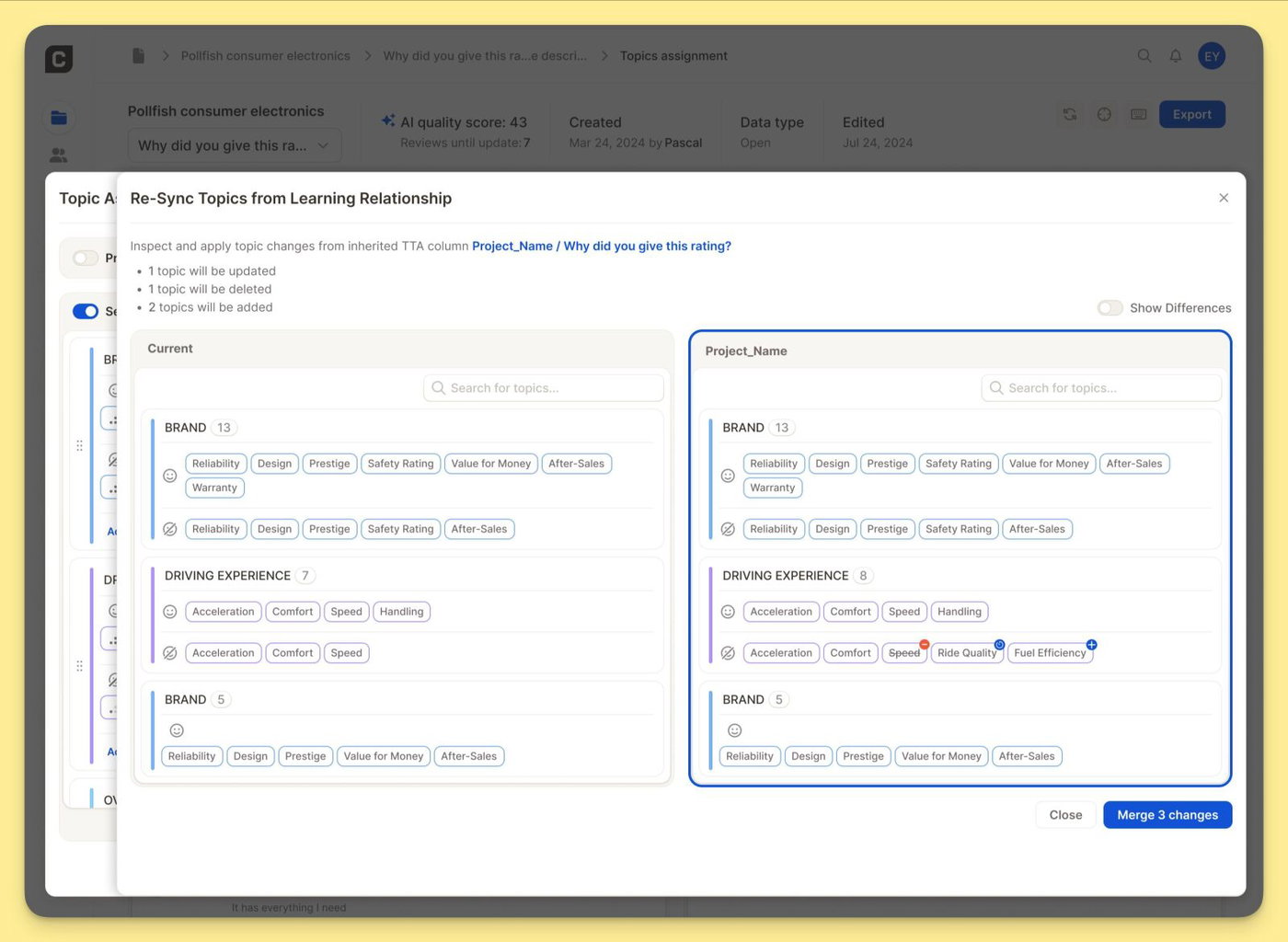
Large trackers evolve, but changing a live topic collection is risky: one edit can affect trend lines, reports, and stakeholder trust. The Learning Relationship gives you a structured way to manage that evolution. Link a development project to your production project, experiment on a representative sample, and push only validated changes back into your live tracker.
How it works
Link two projects in Settings: In Topic Settings, select a source project under Learning Relationship — typically a development project that mirrors your production tracker at a smaller sample size.
Re-sync when you're ready: Use Re-Sync Topics from Learning Relationship to see your current topics next to the linked project's topics. Enable Show Differences to highlight exactly what has changed — topics to update, delete, or add. Nothing is applied until you choose to merge. One click pushes the validated changes into your current project
Want to set this up for your tracker? Reach out to your CSM — they'll help you get started.
You can now analyze full chat(bot) conversations — not just individual comments — directly in the Topics View.
See the full picture
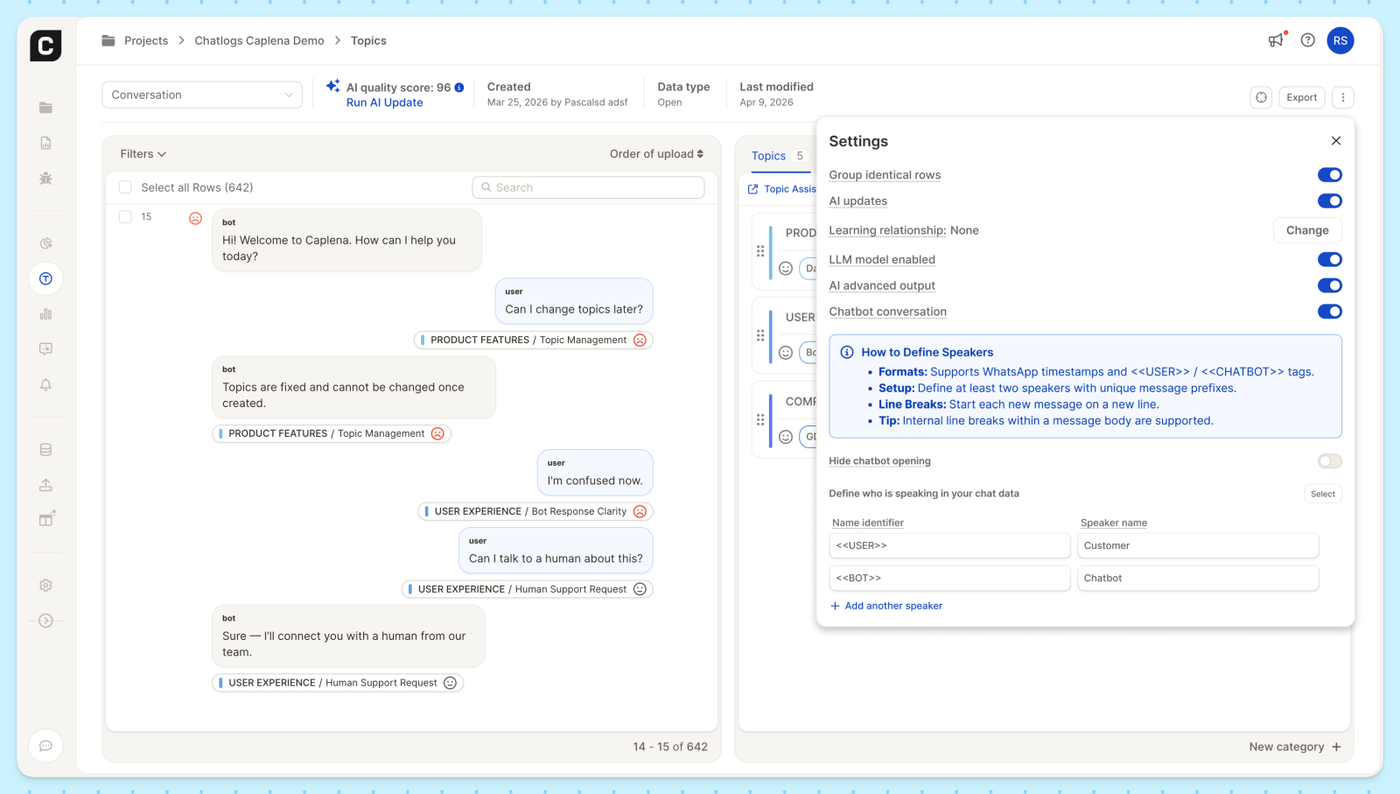
When you enable Chatbot Conversations, Caplena displays each row as a threaded conversation between speakers, with bot and user messages shown in context. Every message is individually tagged with its topic and sentiment, so you can see exactly where a conversation shifts from a product question to a support request.
Easy speaker setup
Define who's who in your data by mapping name identifiers (like <<USER>> or <<BOT>>) to readable speaker names such as "Customer" and "Chatbot." Caplena supports WhatsApp-style timestamps and common chat export formats out of the box, and you can add as many speakers as you need.
Enable Chatbot Conversations in your project's Topics settings to get started.
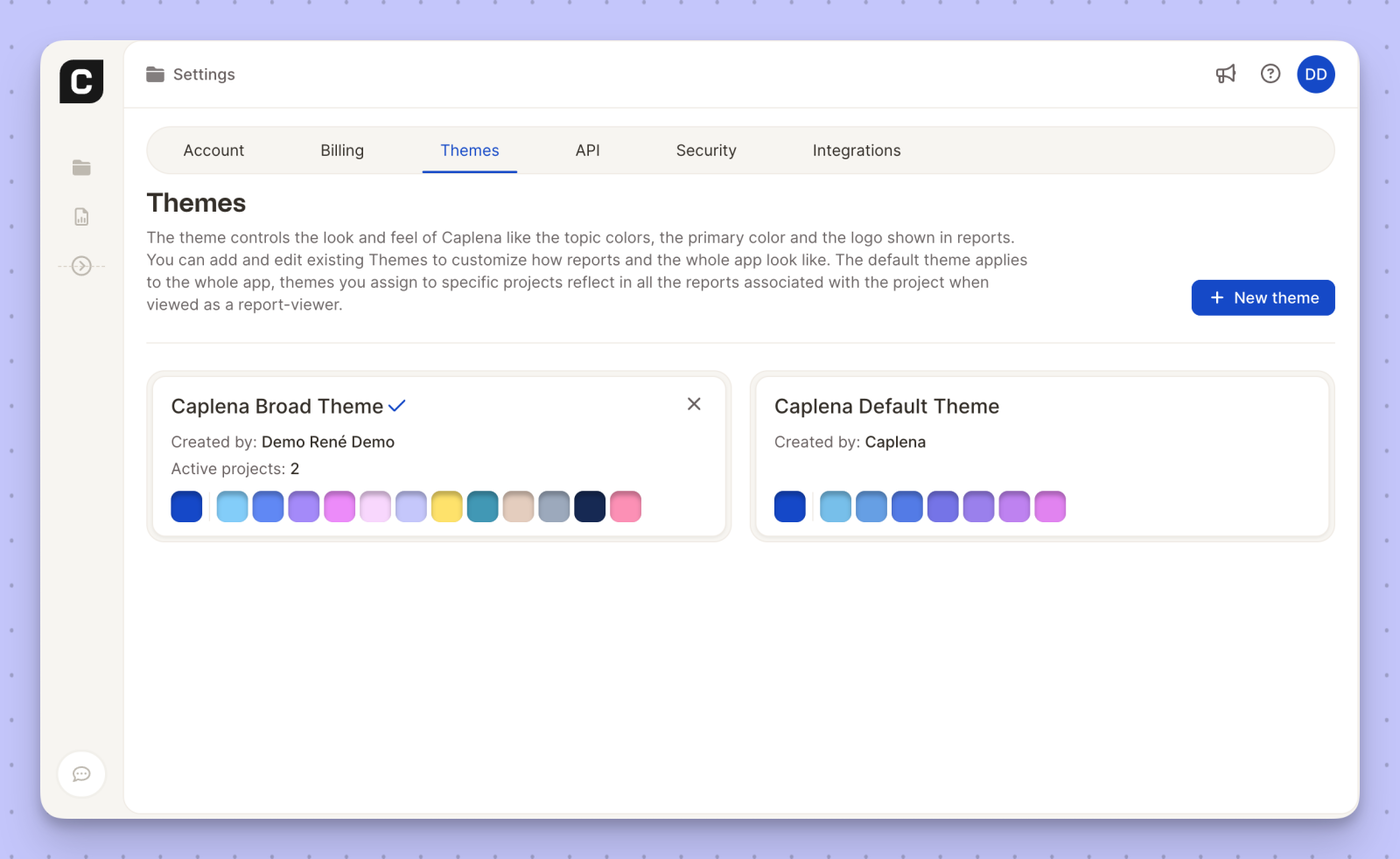
We’ve added a brand-new Caplena Broad Color Theme to give your reports more visual flexibility and a richer color palette.
The new theme expands the range of topic and chart colors, making it easier to:
Clearly distinguish categories and segments
Create more expressive, client-ready reports
Maintain visual clarity even in complex analyses
You can manage and assign the Caplena Broad Color Theme from Settings → Themes, just like any other theme. Once applied to a project, it will automatically reflect across all associated reports for report viewers.
We’ve heard your feedback: analyzing a deep-dive customer review requires a different "brain" than analyzing a list of 500 slightly misspelled brand names. To give you the best of both worlds, we are introducing Semi-Open Mode, a specialized algorithm designed for precision in short-text and brand-awareness data.
🧠 Choosing the Right Tool for the Task
Not all text data is created equal. Depending on your source—whether it's an open-ended "Tell us more" or an unaided brand recall question—you now have the power to choose the AI logic that fits best.
1. Open Mode: Deep Semantic Understanding
Best for: Complex feedback, full sentences, and emotional nuances.
How it works: This mode looks at the meaning behind the words. It understands negations ("not happy"), synonyms, and the underlying sentiment of multiple sentences.
Use case: "The check-in was slow, but the staff was incredibly friendly and made up for it."
2. Semi-Open Mode: Precision for Short Text
Best for: Unaided brand awareness, single words, or short word groups with many duplicates.
How it works: This mode focuses on spelling similarity and clustering. It is optimized to catch typos and group variations of the same brand or product name without over-analyzing for "emotion."
Use case: "Nike," "Niky," "Nike Inc," or "Adidas."
🛠️ How it Works in Your Workflow
We’ve integrated this choice directly into the Topic Assistant setup. In many cases, Caplena will even auto-detect if your data looks like a brand list and suggest the Semi-Open algorithm to save you time.
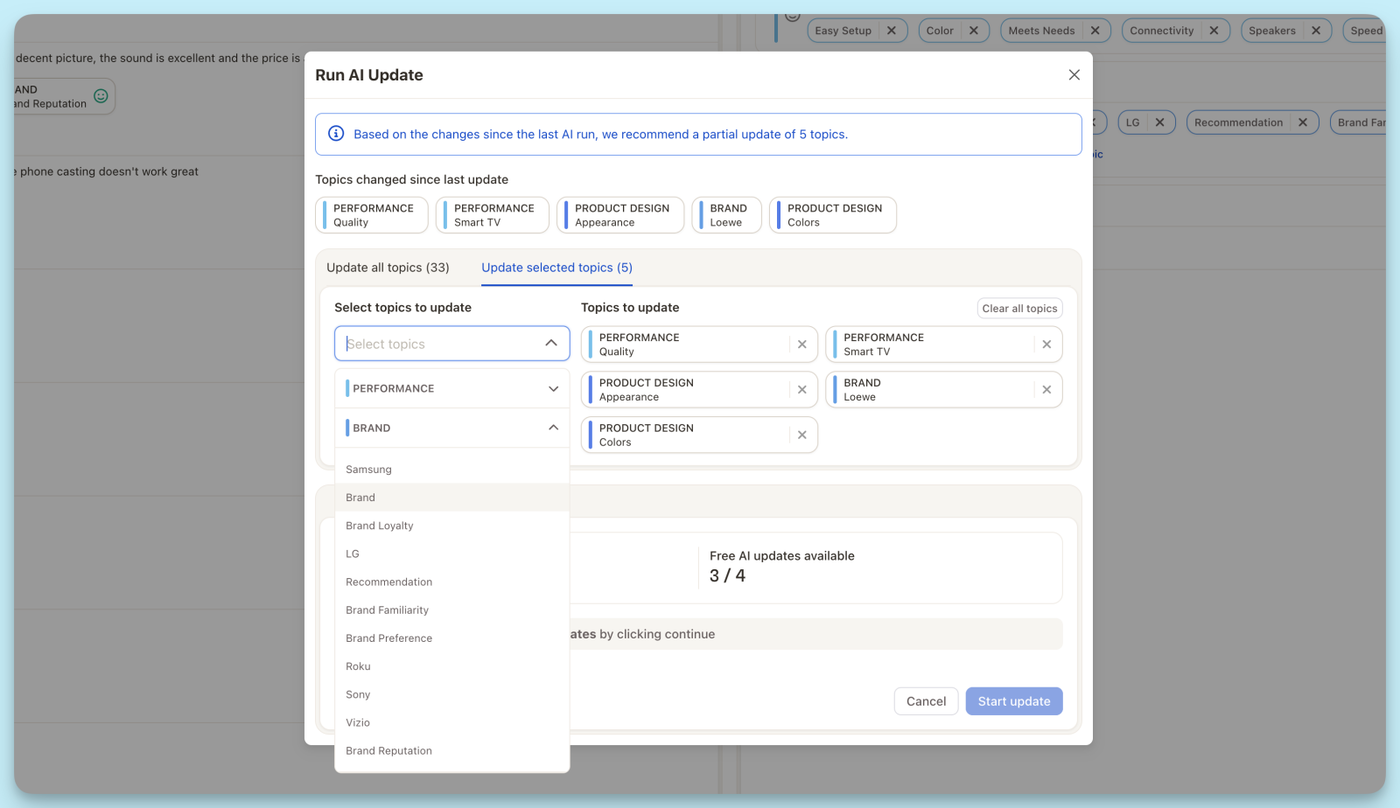
Running an AI update no longer means updating everything at once. With AI Updates for Selected Topics, you can now update only selected topics — saving both time and credits.
Here’s how it works:
🧠 Caplena automatically identifies which topics have changed since the last AI run.
🏷️ You can choose to update selected topics, or still run a full update if you prefer.
💸 Save credits and stay in full control.
Whether you’re refining a few details or testing small changes, AI Updates for Selected Topics give you full control over what gets updated — and when. 🚀
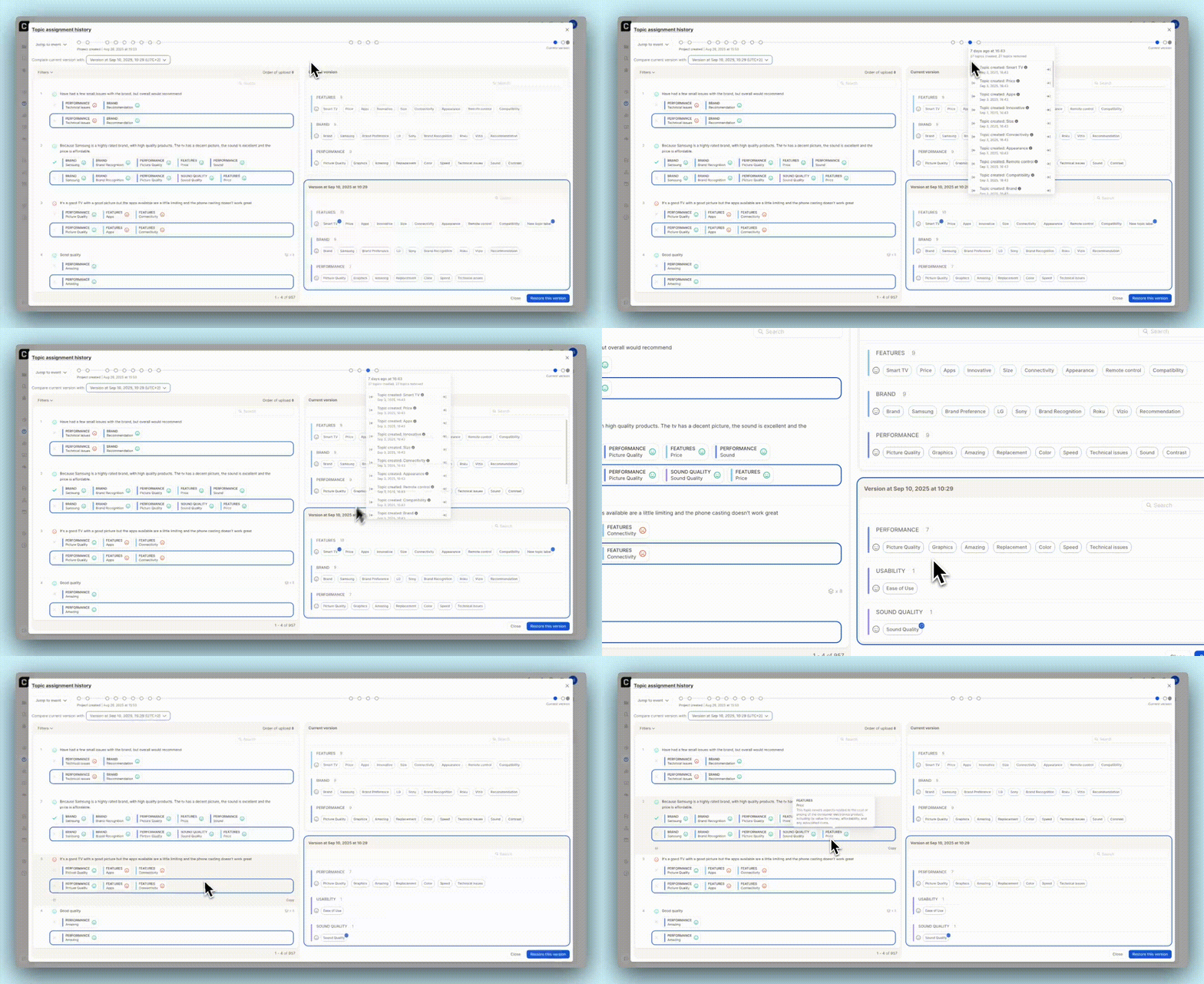
Ever wished you could rewind your topic changes? Now you can!
🔁 Jump to any point in time — See exactly how your topics and assignments looked
👀 Review detailed change logs — Know what was reviewed, added, updated, or removed
🧩 Restore with confidence — Bring back a previous version in one click if things go sideways
This is perfect for cleaning up messy edits, testing new codebooks, or simply giving your team peace of mind. Your topic timeline is now in your control.
Uploading a topic collection from file? You can now optionally include a description column for each topic.
😌 Simply choose the column in the dropdown when uploading your file. These descriptions help explain the meaning or intent behind each topic, and are visible throughout the platform.