💬 Introducing Chat(bot) Conversation Analysis
You can now analyze full chat(bot) conversations — not just individual comments — directly in the Topics View.
See the full picture
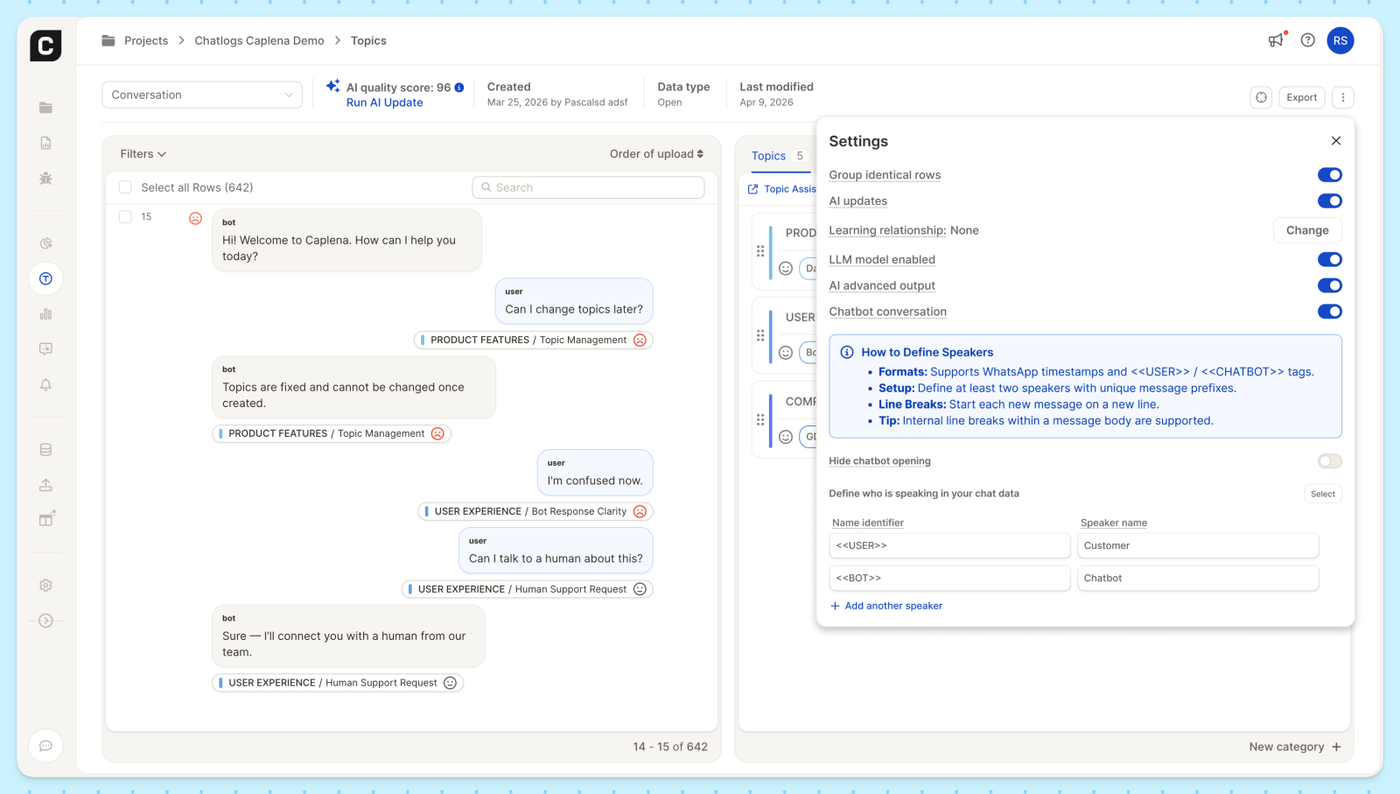
When you enable Chatbot Conversations, Caplena displays each row as a threaded conversation between speakers, with bot and user messages shown in context. Every message is individually tagged with its topic and sentiment, so you can see exactly where a conversation shifts from a product question to a support request.
Easy speaker setup
Define who's who in your data by mapping name identifiers (like <<USER>> or <<BOT>>) to readable speaker names such as "Customer" and "Chatbot." Caplena supports WhatsApp-style timestamps and common chat export formats out of the box, and you can add as many speakers as you need.
Enable Chatbot Conversations in your project's Topics settings to get started.