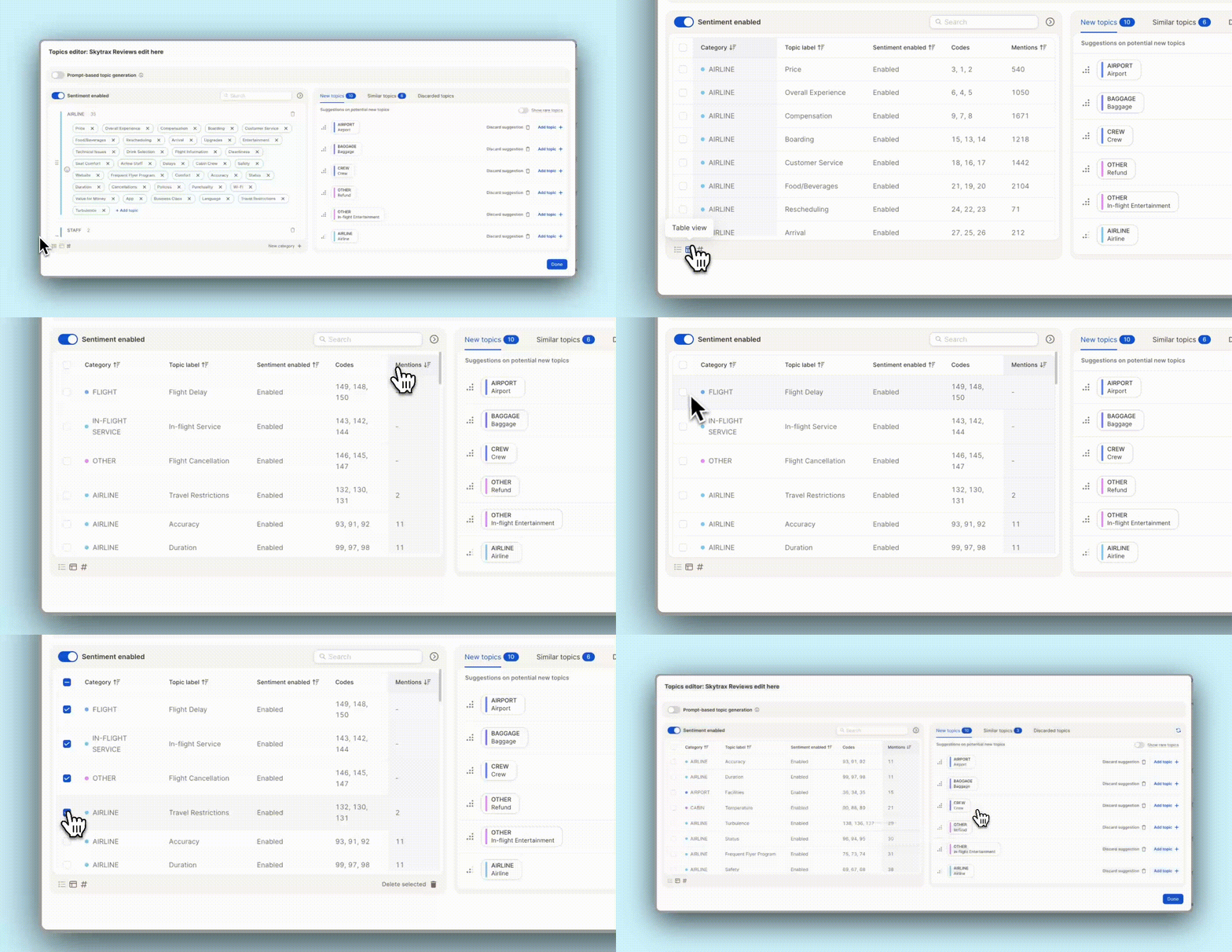
Cleaning up your topic list just got easier. You can now see the number of mentions per topic in the Topic Assistant’s table view. Sort by count to quickly spot low-volume topics. Perfect for finding outliers!
✨ Bonus: Easily bulk-delete underperforming topics in one go. Less noise, more clarity.
Tired of jumping between views to narrow down your data? We’ve revamped and unified filters across the entire Caplena platform—so filtering is now smoother, smarter, and more consistent than ever:
🧩 Filter by Topics & Categories
Pinpoint themes or topic sets right within your reports—no need to switch between Topics and Reports view.
🔢 New Smart Numbers Filter
Need to look at scores, ratings, or counts? Our smart numeric filter lets you quickly slice data by exact values or ranges.
📅 Two Great Date Range Filters
Static Range (e.g. Jan 1–Mar 31, 2025)
Rolling Range (e.g. Last 7 days, Last quarter) Perfect for trend analysis without manual date entry.
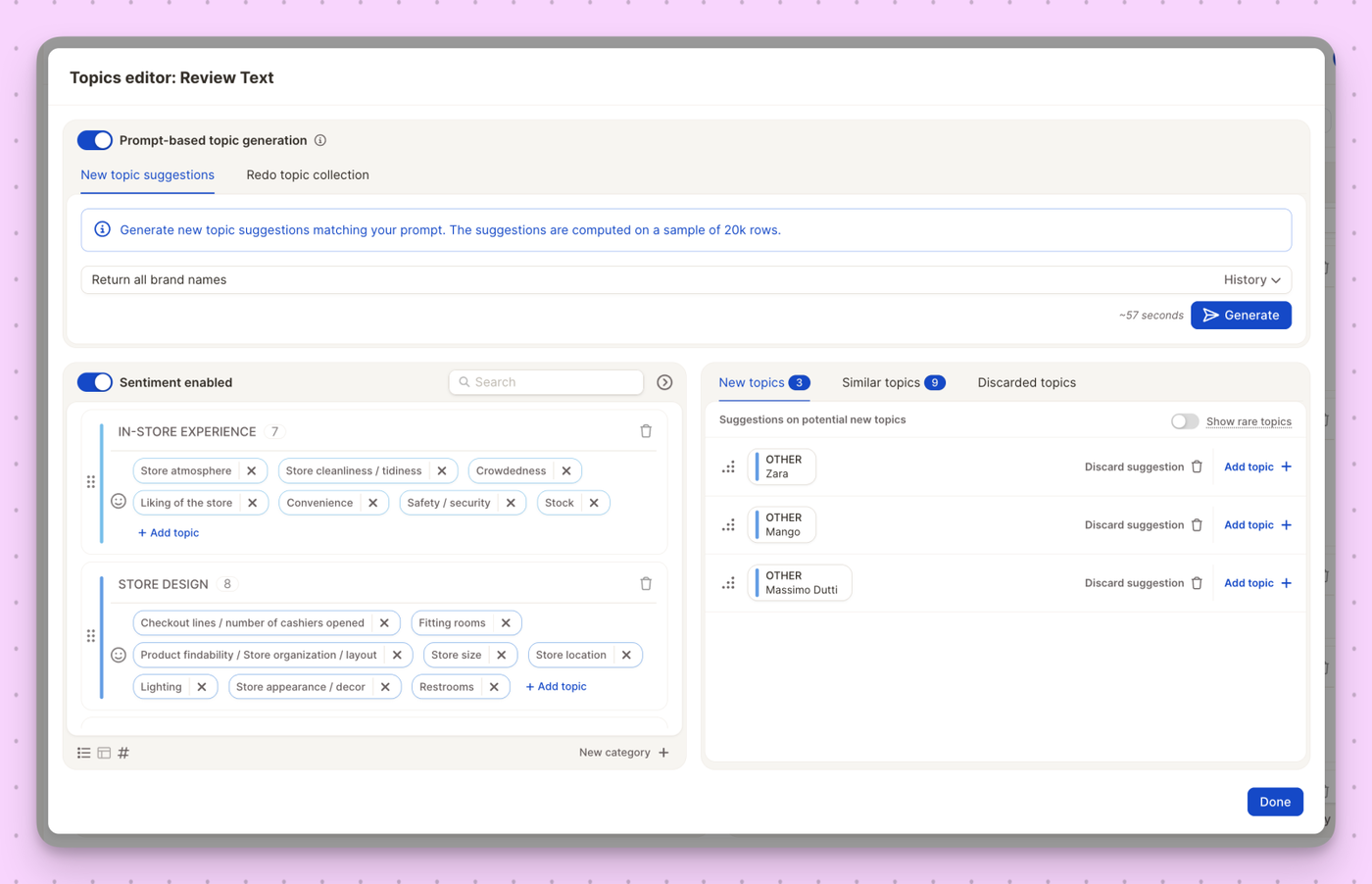
Introducing Prompt-based Topic Generation — your new secret weapon for steering topic detection exactly where you need it to go. Whether you want to zoom in on very specific themes or just give our AI a nudge in the right direction, this feature lets you shape the outcome with precision.
You now have two powerful modes:
🎯 New Topic Suggestions
Add fresh topics on top of your existing collection. Just write a prompt (e.g., “Return all brand names”), review the AI’s suggestions, and add the most relevant ones in seconds.
📚 Redo Topic Collection
Want to start over? Let the AI rebuild your entire topic collection from scratch, based on your prompt — perfect for testing new approaches or exploring your data from a different angle.
No more tedious manual editing. Just tell the AI what you’re after, and it creates the structure for you.
Exporting your data for BI tools just got a whole lot smoother. You can now download Topics and Data in a format that plays nicely with Power BI (and other analytics tools too).
What’s included?
Topic Names
Categories
Sentiment
And more — all cleanly structured and ready to plug into your dashboards!
Sometimes coding codes get a little… chaotic. 😅 Whether it's from imports, edits, or just plain entropy, things can get messy.
Good news: you can now re-distribute the numerical values of your coding codes automatically! Perfect for making everything neat, logical, and back in order — no manual renumbering needed.
One click, and your codebook’s looking sharp again. 🎯
We’re giving you more control over how Caplena’s AI evolves with a brand-new AI Update Toggle in the Topics View! Now, you can pause AI learning on a project level while still allowing automatic topic assignments—ensuring consistency and stability in your analysis.
How It Works:
🚫 No new learning –manual reviews and edits won’t influence the AI model.
✅ Auto-assignment continues – new data still gets categorized using the current AI model.
🔒 Stable AI scores –your existing model remains unchanged, preventing unexpected shifts in topic assignments.
This feature is perfect for maintaining predictability in your reports while still benefiting from AI-driven automation. Try it out today in the Topics View!
Stay ahead of emerging topics in your data! Automatically detect new themes beyond the initial setup and keep a pulse on evolving trends in your tracking surveys and online reviews.