Insight Agent

Mar 30, 2026

Automating your workflow just got much easier. You can now schedule alerts, notifications, and recurring tasks directly through the Insight Agent using a natural conversation.

Instead of navigating through multiple settings, simply tell the Insight Agent what you need, and it will set up the recurring task for you.

What’s New:

  • Conversational Scheduling: Just ask the Insight Agent to schedule an alert or recurring task. For example, simply type: "Send me a week-on-week KPI summary each Monday at 08:00" and the agent handles the rest.
  • Auto-Optimized Prompts: The Insight Agent automatically translates your quick request into an optimized prompt to ensure you get the best possible data summary in your inbox or Slack/Teams setup.
  • Customizable Delivery: Open any scheduled alert to modify its frequency (One-off, Weekly, Monthly, Quarterly), adjust the time, or change the recipient to yourself or another team member.
  • Centralized Alerts Dashboard: Keep track of all your active recurring tasks, agent prompts, and notifications in a dedicated "Alerts" overview page.

How to use it:

Open the Insight Agent inside any project and type your scheduling request. Once the agent confirms, your new alert will appear in the Agent Alerts section on the left-hand panel. You can click on it at any time to edit the details or trigger a test alert to see exactly what the notification will look like.

Mar 25, 2026

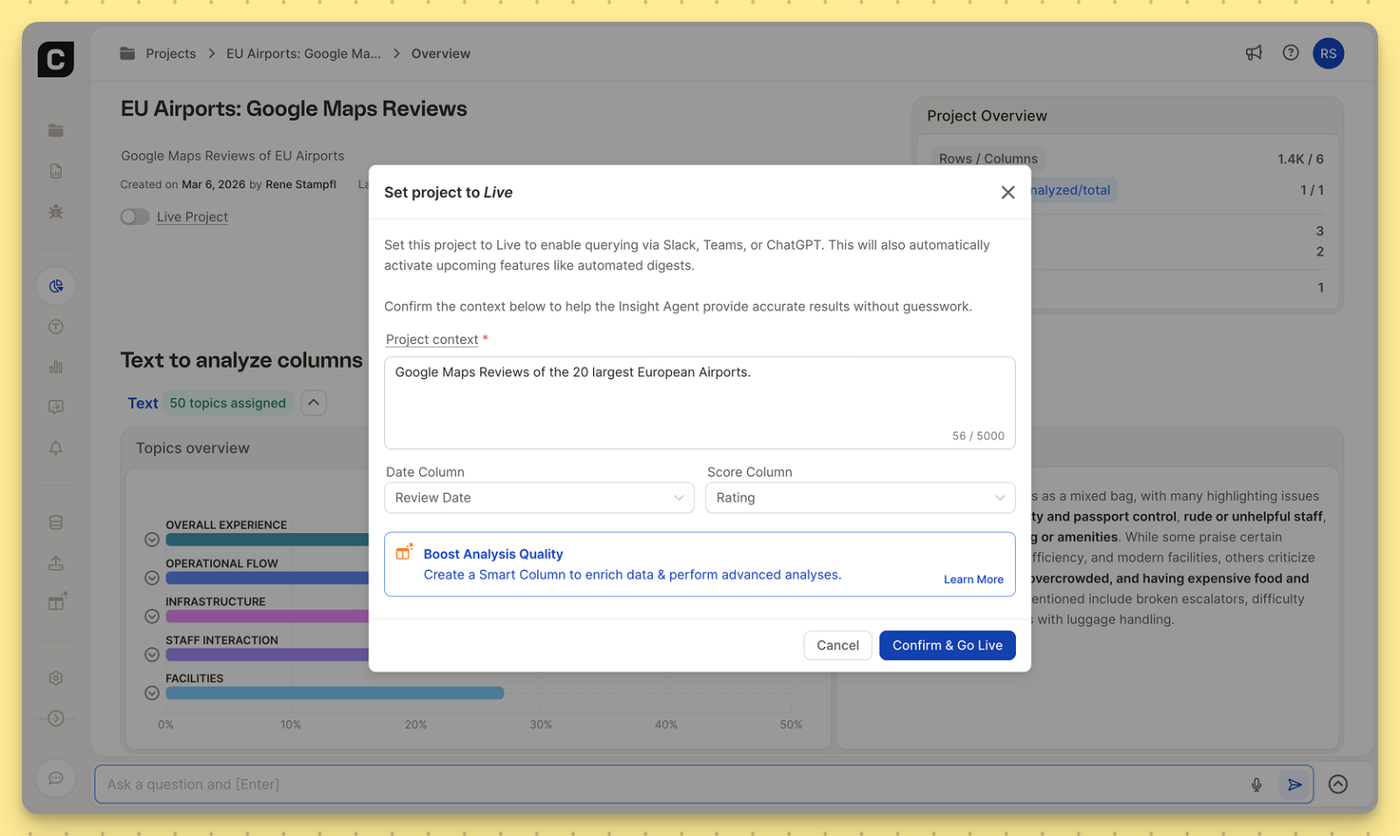
To get the most accurate answers from Caplena’s Insight Agent—especially when querying your data via Slack, Microsoft Teams, or ChatGPT, the AI needs to understand the blueprint of your project.

We’ve rolled out a few structural updates to reduce AI guesswork and make the Insight Agent even more powerful:

  • 10x More Project Context: We’ve increased the character limit for your Project Context from 500 to 5,000 characters. You now have the space to thoroughly brief the AI on the specific nuances, background, and goals of your dataset.
  • Default Date & Score Columns: You can now explicitly define which columns represent your primary timeline (e.g., Review Date) and primary metric (e.g., Rating). By setting these defaults once, the AI immediately knows how to accurately track trends and weigh sentiment without needing extra prompting.

Where to find it:
You can update these anytime in the Data View, or simply confirm them when setting your project to Live to connect with everyday tools like Slack, Microsoft Teams, or ChatGPT.

Feb 23, 2026

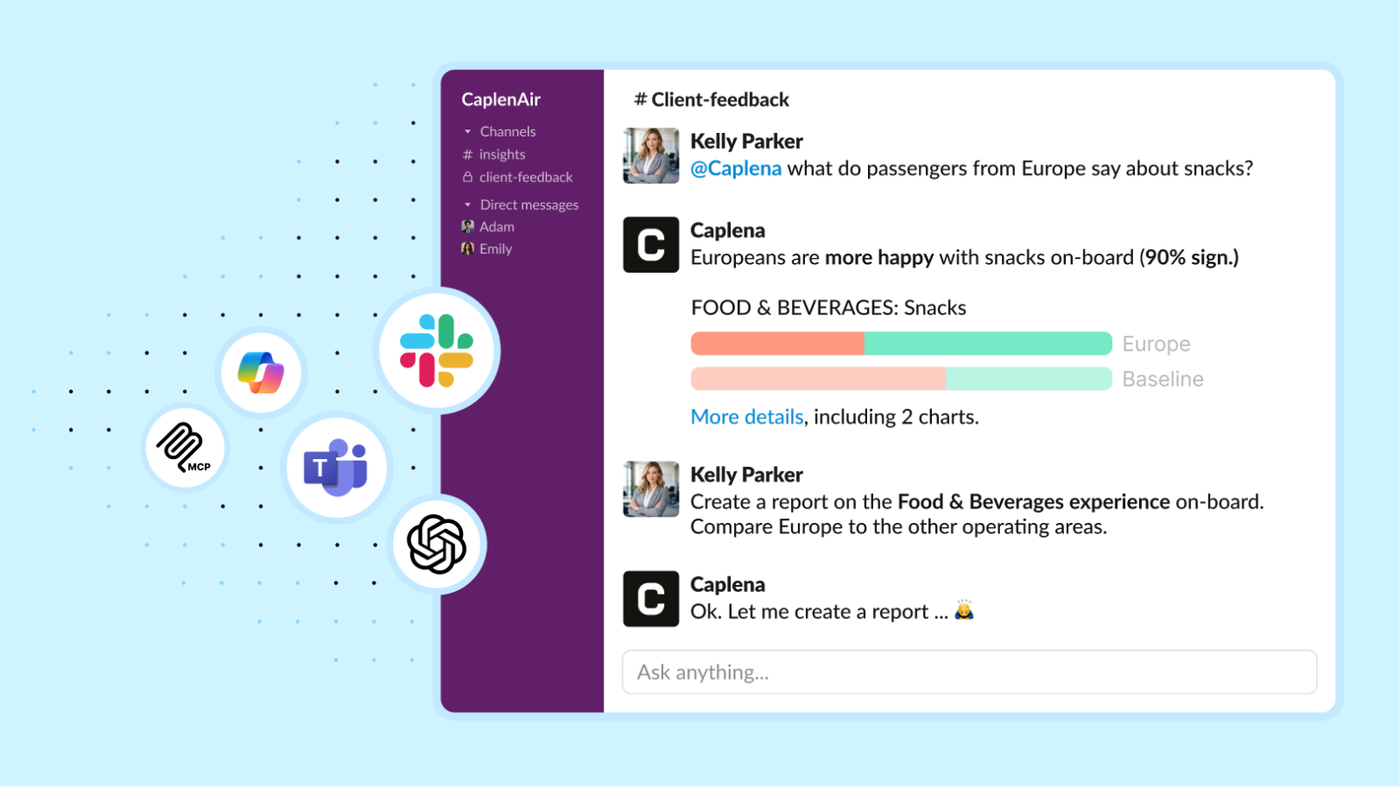
Powerful for Experts, Effortless for Everyone — now where work happens. Insight Agent is now available in Slack, Microsoft Teams, Copilot, and ChatGPT (MCP), so anyone can ask questions and get reliable insights without leaving their daily tools.

This is a big step toward democratizing insights across your organization: experts move faster with on-demand analysis, while non-research teams self-serve clear, actionable answers — no dashboards, training, or back-and-forth required. Less chasing data. More turning feedback into decisions. 💪

How it works

  • Create a shared channel (e.g., #customer-feedback-insights)
  • Ask questions by tagging the agent with @Caplena in 1:1 messages or public channels
  • Here is an example question: @Caplena What topics had the biggest impact on the NPS change in the last 4 weeks?

Advantages

  • Help teams discover what the bot can do (and copy great prompts)
  • Learn from each other’s use cases over time
  • Discuss insights together — and jump in if you disagree
  • Keep decisions and learnings accessible for everyone

👉 Set up the integration in your Integrations Settings and get started.

Jan 21, 2026

The response to our Insight Agent has been incredible! This surge in usage recently pushed our LLM providers to their limits, occasionally leading to resource constraint errors or timeouts.

We’ve been working around the clock to build a more resilient and contineously improving system for you. We are excited to announce a major infrastructure upgrade: advanced multi-region datacenter load balancing (that’s just fancy dev-speak for: "the Agent is now much harder to break, even when it’s busy" 🤓).

  • What this means: The Insight Agent now intelligently routes requests to the most available datacenter, bypassing provider bottlenecks and ensuring stable performance even during peak hours.
  • Performance: You'll notice significantly fewer errors and smoother analysis for large datasets.
  • Compliance: Most importantly, our EU-only data residency remains unchanged. All data processing and storage continue to stay strictly within the European Union.
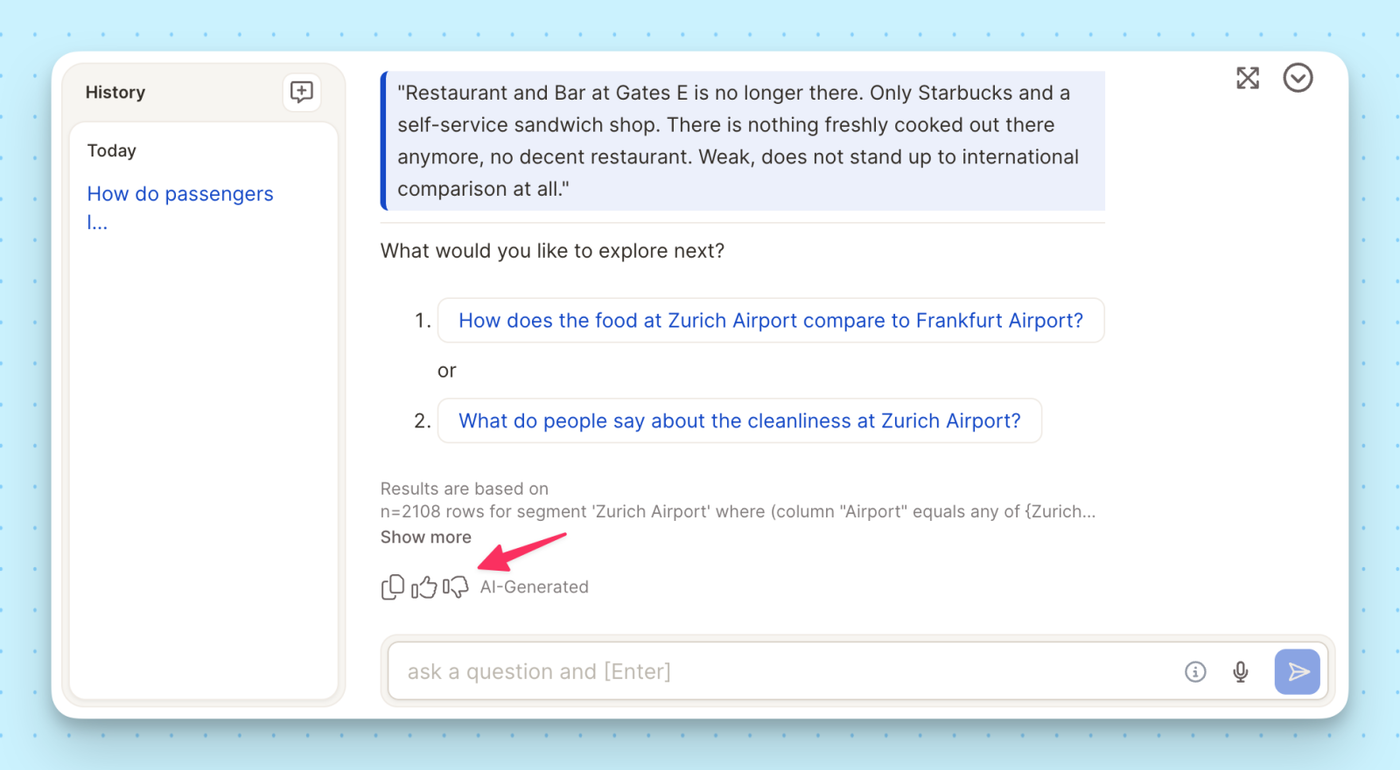
  • Continuous Learning: A quick reminder that your Thumbs Up/Down ratings help the Agent refine its logic to better suit your specific tasks, project goals, and needs. We appreciate the feedback!
Dec 03, 2025

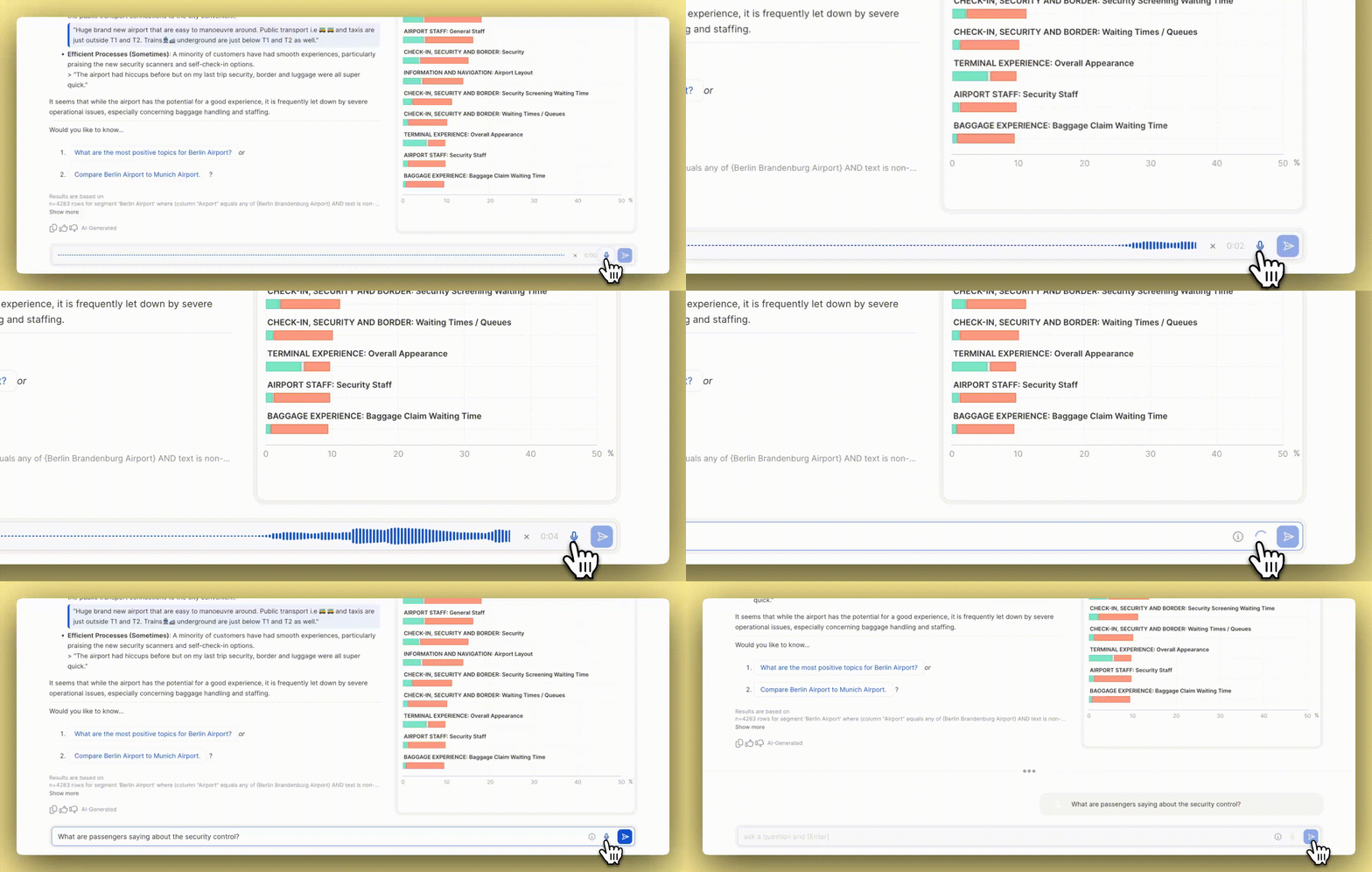
Ask questions with your voice — faster, hands-free insights.

You can now speak your questions directly into Caplena and get instant answers from your data.

What’s new:

  • Voice input: Ask Insight Agent anything using your microphone
  • Faster workflows: Perfect when you’re multitasking or on the go
  • Multilingual support: Works across the languages Caplena understands

Give it a try next time you open Insight Agent — just tap the microphone and start speaking.