
Private beta: Caplena now finds insights for you. Before you ask. 📡
Nobody can watch every signal, every day. So Caplena now actively scans your reports and flags what's worth your attention — like a radar — Risks to fix, and opportunities to scale. That means less digging through reports to find what changed. You see it and can act instantly.
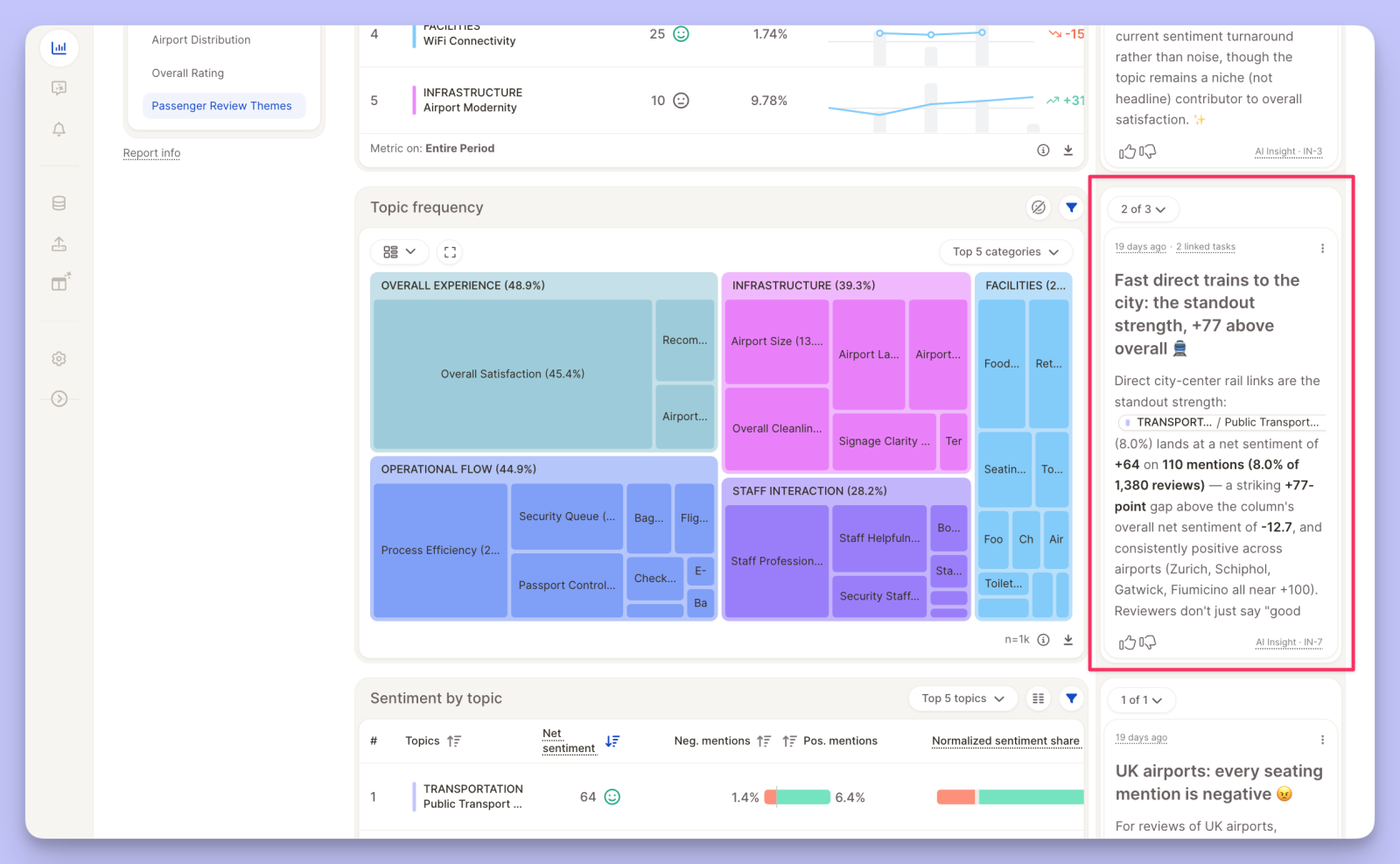
Where you'll see them
- In your report — a collapsible side rail on the right, shows insights next to the insight element they came from.
- On the insights board — a global page collecting every insight across all your reports & views.
- On the insights detail page — a page that shows a specific insight, the linked insight element and linked tasks users can act on.
An insights' life-cycle
1. Discovery — On a regular interval, the Insight Agent scans your report views. If it finds something worth flagging, a card appears in the rail. If not, nothing shows — no noise
2. Updates — Live insights are rechecked on the same schedule, so the numbers stay current for as long as the finding remains relevant-
3. Retirement — Once an insight stops being relevant, it's retired and removed from the view. A new one can appear later if the data shifts again.
This new feature is in private bata, currently enabled across selected organizations. Want to give it a try? Contact support@caplena.com.
Read our documentation to get more details on the new insights feature.