
↔️ Sync topics across projects
Keep your topic collection in sync across projects — without rebuilding from scratch.
Large trackers evolve, but changing a live topic collection is risky: one edit can affect trend lines, reports, and stakeholder trust. The Learning Relationship gives you a structured way to manage that evolution. Link a development project to your production project, experiment on a representative sample, and push only validated changes back into your live tracker.
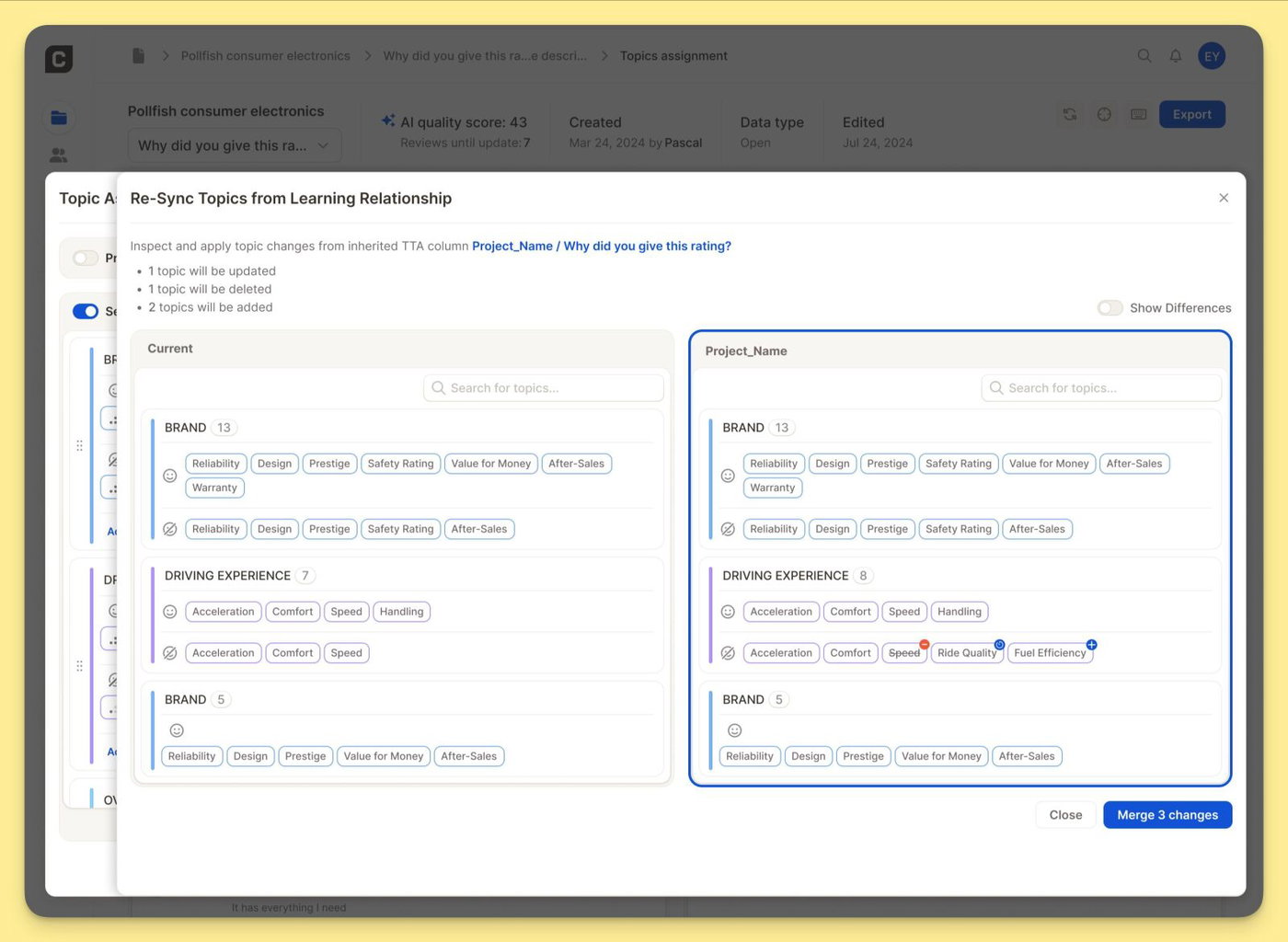
How it works
Link two projects in Settings: In Topic Settings, select a source project under Learning Relationship — typically a development project that mirrors your production tracker at a smaller sample size.
Re-sync when you're ready: Use Re-Sync Topics from Learning Relationship to see your current topics next to the linked project's topics. Enable Show Differences to highlight exactly what has changed — topics to update, delete, or add. Nothing is applied until you choose to merge. One click pushes the validated changes into your current project
Want to set this up for your tracker? Reach out to your CSM — they'll help you get started.