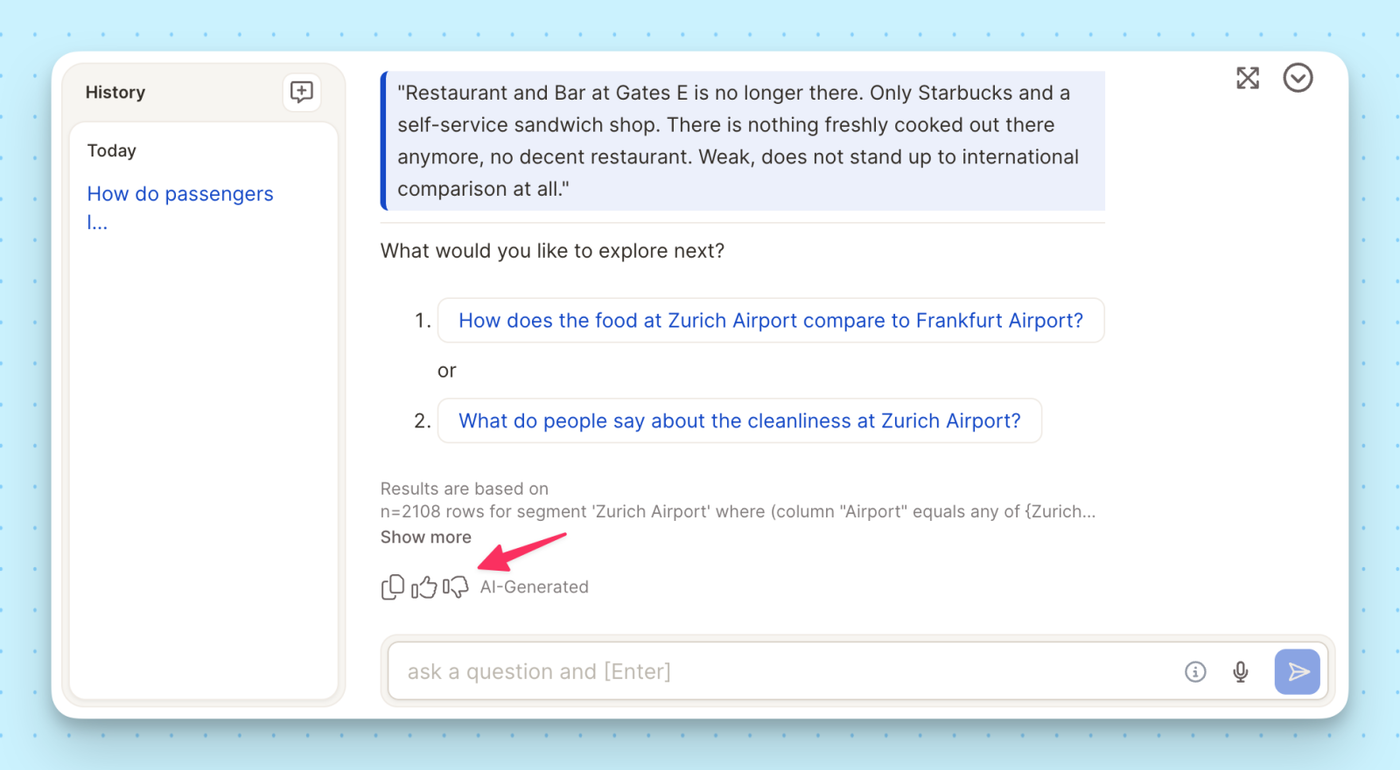
Ask the Insight Agent a question about how Caplena works — it'll answer directly, no need to leave your project and dig through documentation.
We've launched a redesigned documentation experience at docs.caplena.com — easier to navigate, faster to search, and built to match the rest of the Caplena experience.
Content is organized into six focused sections — Get Started, Topic Assignment, Insights & Reports, Data & Project Management, Integrations, and Settings — so you can find what you need without digging.
Full-text search is faster and more accurate, so you spend less time browsing and more time doing.
The docs now match the visual style of caplena.com, giving you a more seamless experience across the product.
Note: Your existing bookmarks still work
All previous links redirect automatically. If you come across a broken link, please let us know at support@caplena.com.
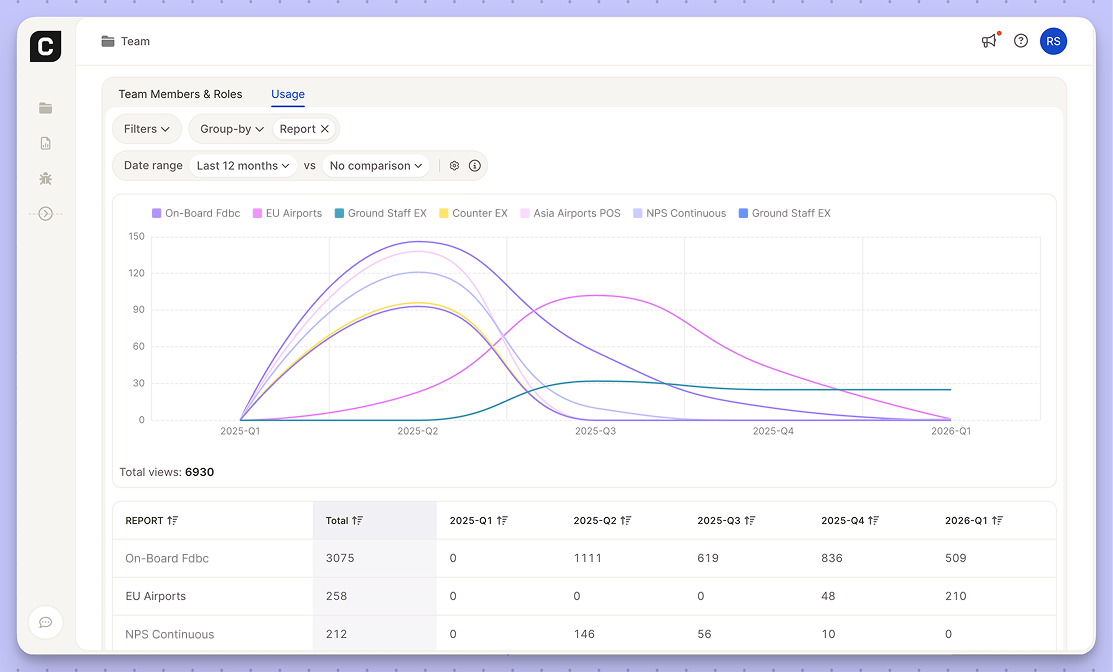
Get a clear, consolidated view of your team's platform engagement. The new Usage dashboard brings Caplena's cross-project visibility to team administration, keeping resource tracking lean and intuitive.

Key Features:
How to access: Go to your Team settings > Usage.
Note: This tab is only visible to users with Team Manage permissions.
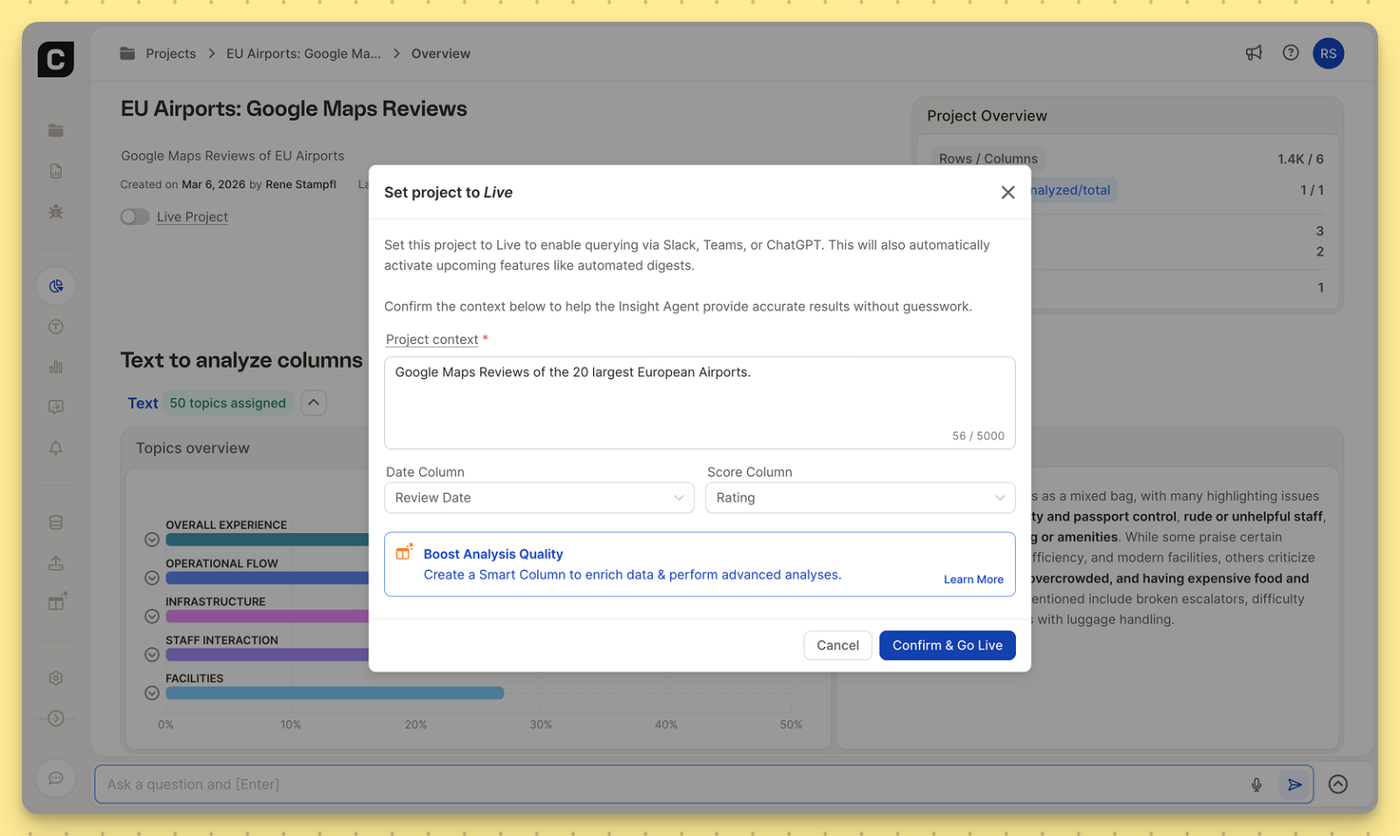
To get the most accurate answers from Caplena’s Insight Agent—especially when querying your data via Slack, Microsoft Teams, or ChatGPT, the AI needs to understand the blueprint of your project.

We’ve rolled out a few structural updates to reduce AI guesswork and make the Insight Agent even more powerful:
Where to find it:
You can update these anytime in the Data View, or simply confirm them when setting your project to Live to connect with everyday tools like Slack, Microsoft Teams, or ChatGPT.

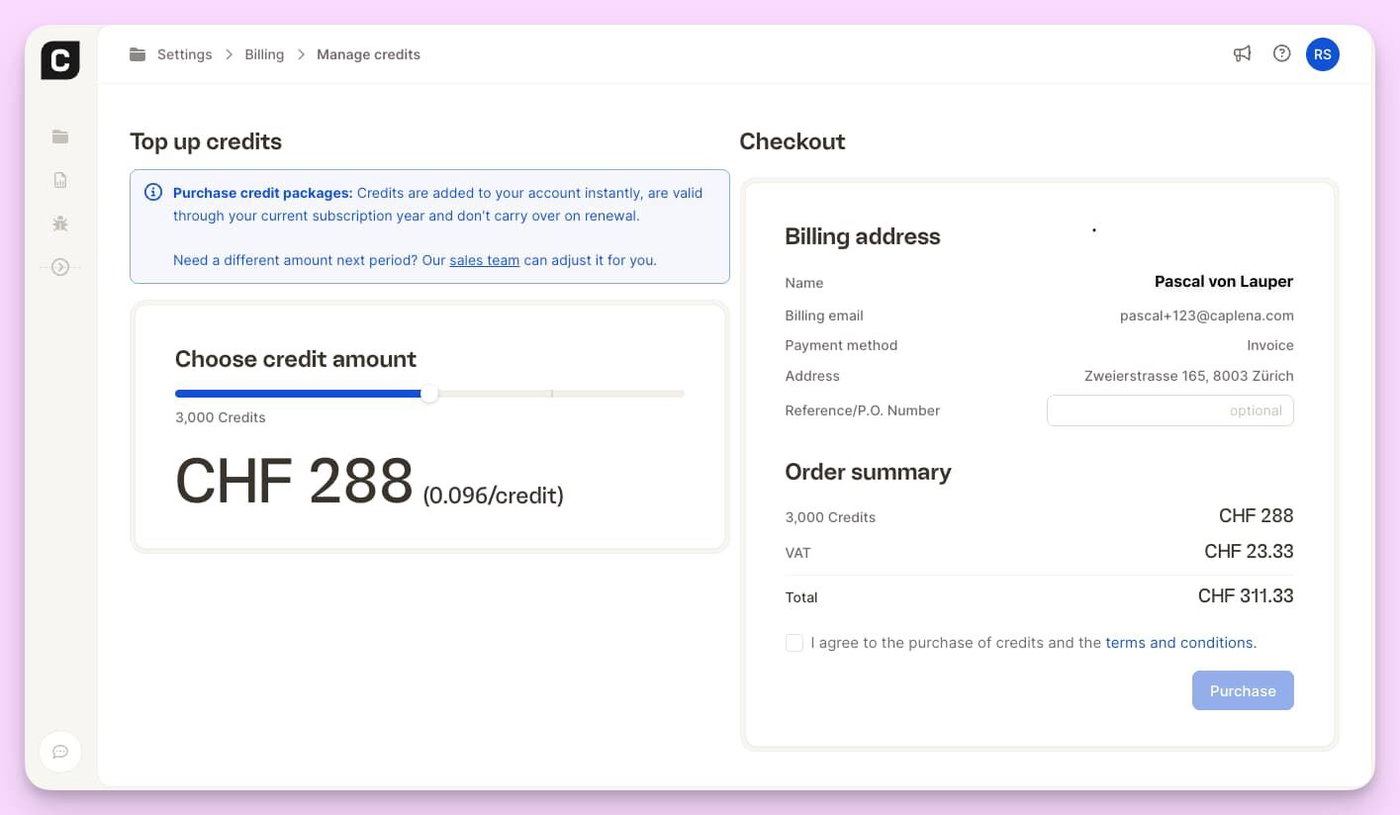
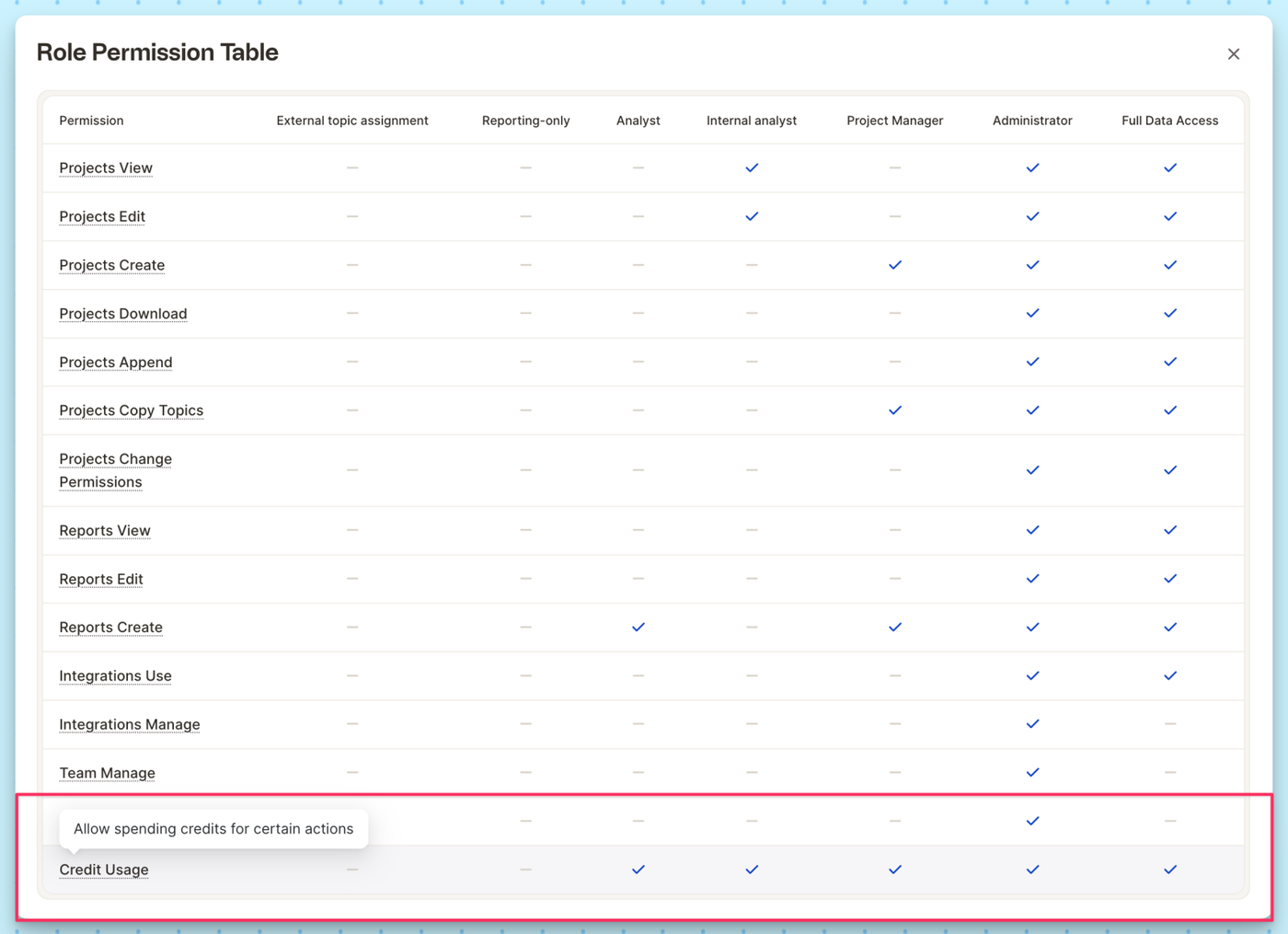
We’ve introduced a new permission that gives you granular control over credit deduction. Admins can now define which roles are allowed to trigger actions that consume credits — adding an extra layer of governance and cost control across your workspace.
This ensures that powerful AI capabilities remain accessible, while maintaining full transparency and budget oversight.
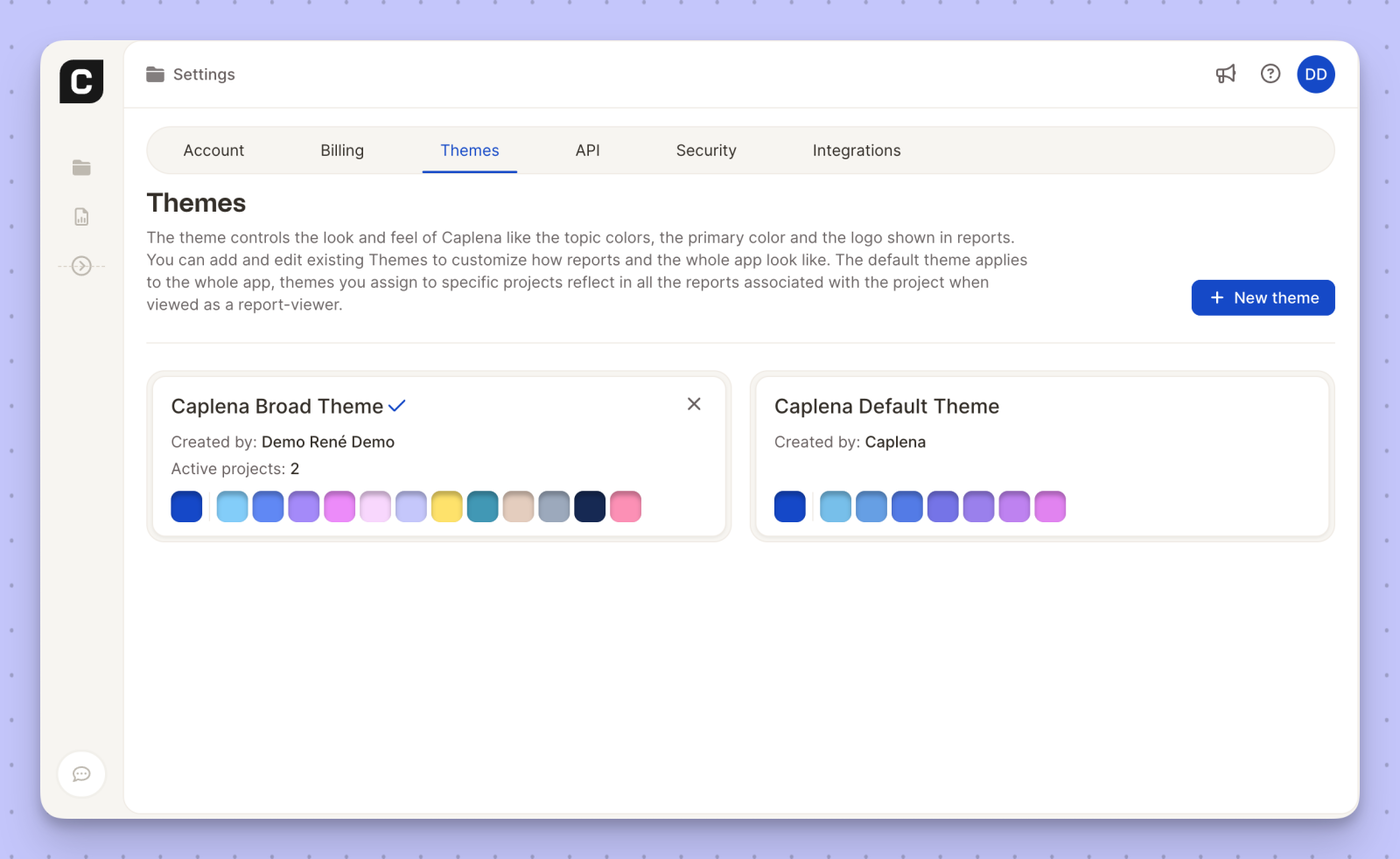
We’ve added a brand-new Caplena Broad Color Theme to give your reports more visual flexibility and a richer color palette.

The new theme expands the range of topic and chart colors, making it easier to:
You can manage and assign the Caplena Broad Color Theme from Settings → Themes, just like any other theme. Once applied to a project, it will automatically reflect across all associated reports for report viewers.
The response to our Insight Agent has been incredible! This surge in usage recently pushed our LLM providers to their limits, occasionally leading to resource constraint errors or timeouts.
We’ve been working around the clock to build a more resilient and contineously improving system for you. We are excited to announce a major infrastructure upgrade: advanced multi-region datacenter load balancing (that’s just fancy dev-speak for: "the Agent is now much harder to break, even when it’s busy" 🤓).

At Caplena, our goal has always been to turn the "noise" of open-ended text into clear, actionable insights. To keep pushing the boundaries of what AI can do for your feedback analysis, we are focusing all our energy on Caplena v3.
As part of this transition, we will be officially switching off the Caplena Legacy App on March 31, 2026. To ensure your workflows remain uninterrupted and to take advantage of our most powerful features yet, we encourage all users to start using v3 over the coming weeks.
Caplena v3 isn't just a fresh coat of paint; it’s a completely re-engineered core designed for the era of Large Language Models (LLMs). Here is what you get in the new platform:
All your projects are already in Caplena v3—no migration needed, and your historical data and custom codebooks are fully preserved. Just follow the steps below:
Need a hand with the move? Our support team is standing by to help with your migration.

You can now connect Caplena directly to Google Cloud Storage.
This new integration lets you import feedback and text data straight from your Google Cloud Storage buckets into Caplena. Whether you’re working with continuous data exports, archived feedback, or structured text files, Caplena fits seamlessly into your existing cloud setup
👉 Set up the integration in your integrations settings and get started.

Caplena parle désormais français !
You can now use Caplena’s interface in French, making it easier for French-speaking teams to explore feedback, uncover insights, and collaborate across regions. From navigating projects to working with reports and insight elements, everything feels more natural in your preferred language. 🇫🇷 🥐
This update is part of our ongoing commitment to make insights accessible to global teams — wherever they work and whichever language they think in.
👉 Switch the interface language in your account settings and start exploring Caplena en français today.
Insights-Chat just got a serious upgrade. It no longer just answers questions — it now walks you through your data like a true analyst would.
1️⃣ Context first – Every answer starts with a solid basis: context, underlying data points, and why they matter.
2️⃣ Quantitative insights – See the numbers, metrics, and trends behind the story.
3️⃣ Qualitative insights – Understand what customers are actually saying, surfaced down to the verbatim level.
4️⃣ Visual support – Charts and graphics illustrate the findings, making complex points easy to digest.
5️⃣ Next-step guidance – Insights-Chat now even suggests what you should analyze next, helping you dig deeper without losing momentum.
🚀 The result: a conversation that feels less like querying a tool and more like collaborating with a data analyst.