
Private beta: Tasks — Turn insights into action ✅
Insights surface what's worth knowing; Tasks turn them into assigned, trackable work. Create one from an insight in one click, or start from scratch — either way, you and your team can now collaborate on your daily work!
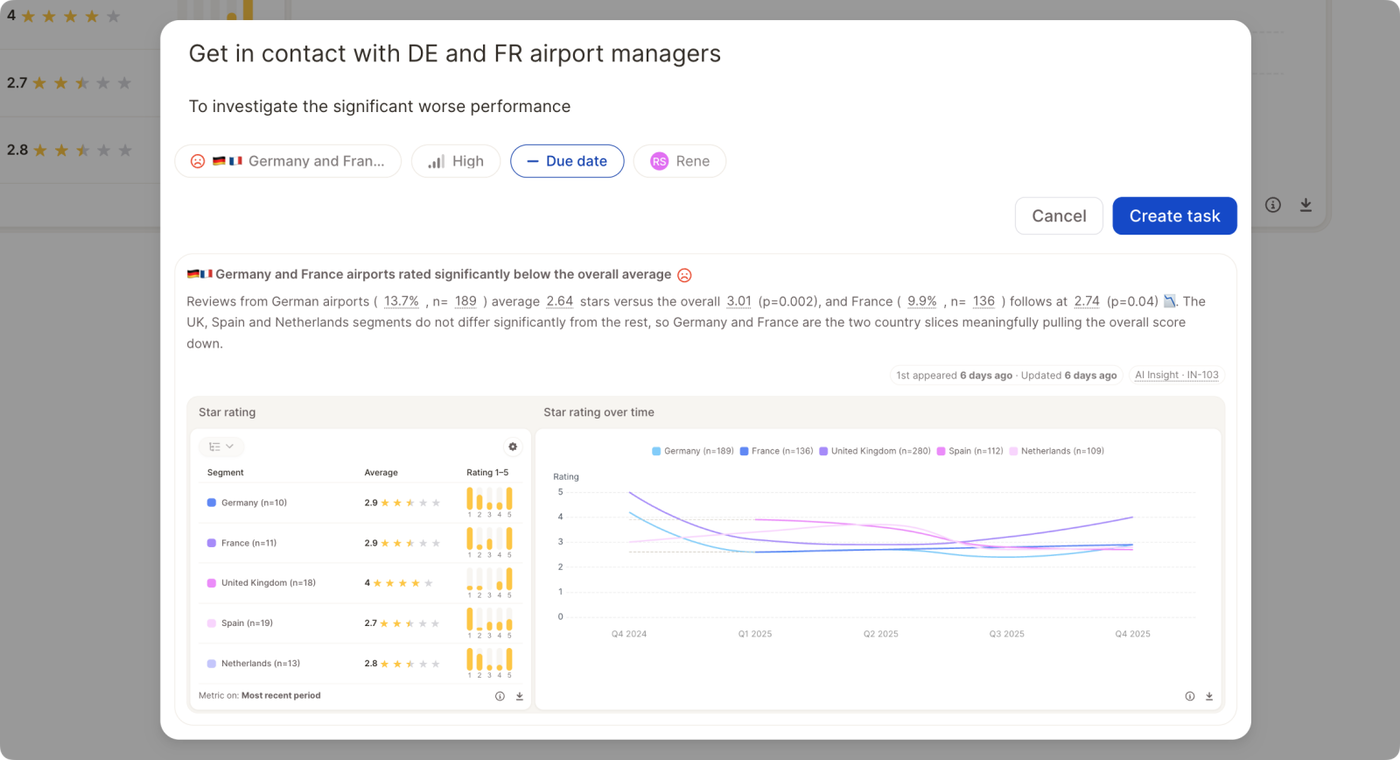
Creating a task
- From an insight — open its menu and create a task directly, or add one from the insight's detail page. Give it a title, priority, and optionally a due date and owner (defaults to you). Tasks created from an insight also get an auto-close toggle — on, and the task closes itself when the insight retires or is dismissed; off, you close it manually.
- From scratch — open the global Tasks list (side navigation), click create task, and pick the report and view it belongs to. The Tasks list is also where you see everything outstanding — filter by owner, group by priority, due date, or project, and tick items off directly. Good for a Monday-morning triage of what's on your plate
This new feature is in private bata, currently enabled across selected organizations. Want to give it a try? Contact support@caplena.com.
For more information on tasks and how they interact with insights, read our documentation.