Insights Radar is now active on all non-legacy plans. Insights flag what’s changing in your feedback, and Tasks turn those insights into work someone owns.
What you’ll notice:
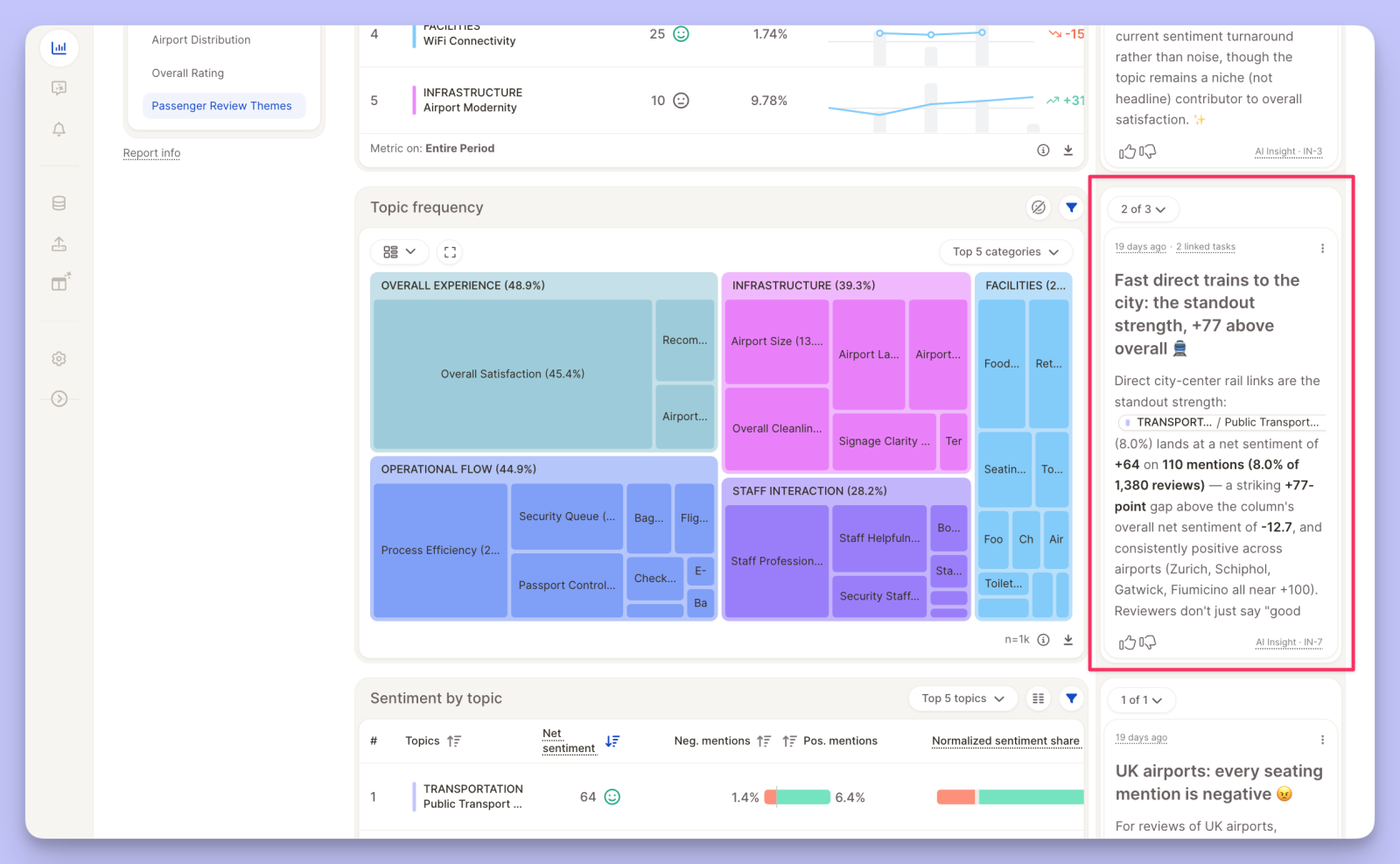
Insights in your reports: new insights show up directly in your reports as they’re detected.
Insights Board: see all insights across your views in one place, and filter, archive or open any of them in detail.
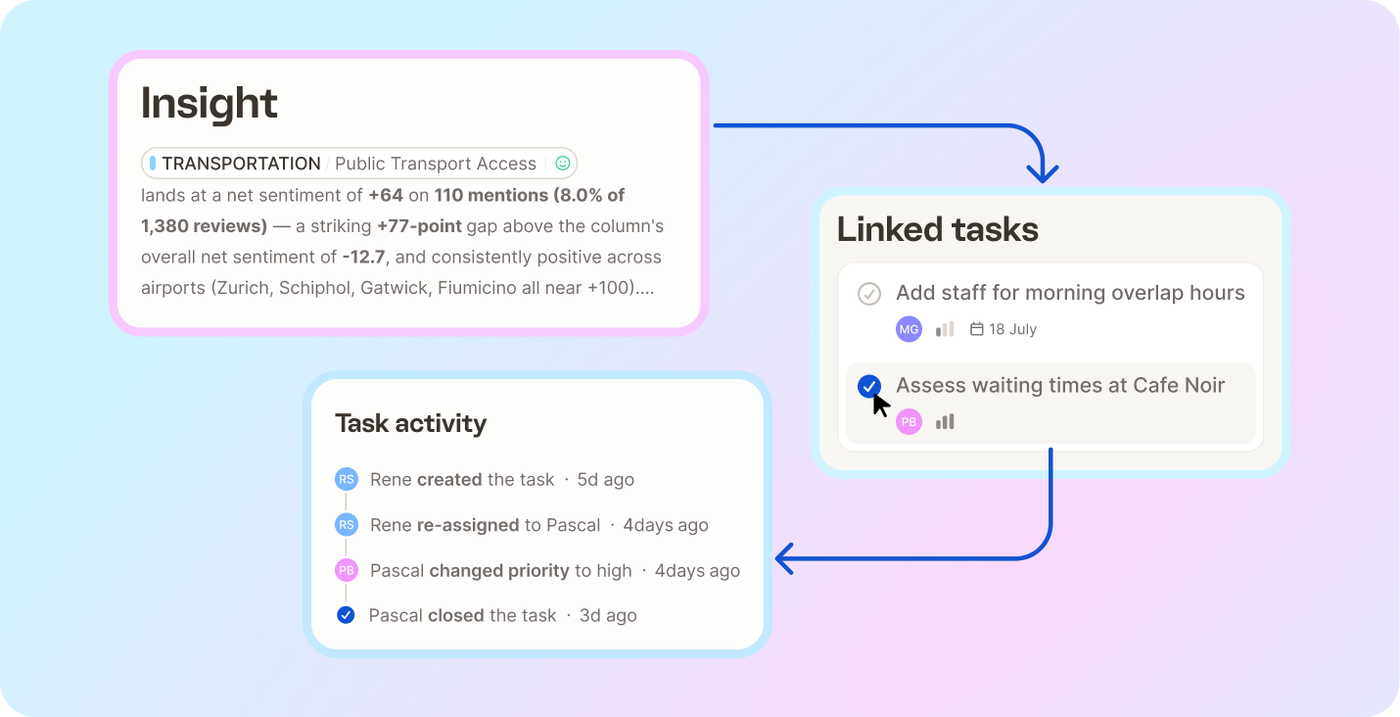
Tasks list: create a task from any insight, assign it, and track everything that’s in progress from one list.
Notifications: you’ll get notified as soon as new insights come in.
60 free insight runs: your organization gets 60 free insight runs until 31 December, and you can spread them across your views however you like. How insights work →
Nobody can watch every signal, every day. So Caplena now actively scans your reports and flags what's worth your attention — like a radar — Risks to fix, and opportunities to scale. That means less digging through reports to find what changed. You see it and can act instantly.
Where you'll see them
In your report — a collapsible side rail on the right, shows insights next to the insight element they came from.
On the insights board — a global page collecting every insight across all your reports & views.
On the insights detail page — a page that shows a specific insight, the linked insight element and linked tasks users can act on.
An insights' life-cycle
1. Discovery — On a regular interval, the Insight Agent scans your report views. If it finds something worth flagging, a card appears in the rail. If not, nothing shows — no noise
2. Updates — Live insights are rechecked on the same schedule, so the numbers stay current for as long as the finding remains relevant-
3. Retirement — Once an insight stops being relevant, it's retired and removed from the view. A new one can appear later if the data shifts again.
This new feature is in private bata, currently enabled across selected organizations. Want to give it a try? Contact support@caplena.com.
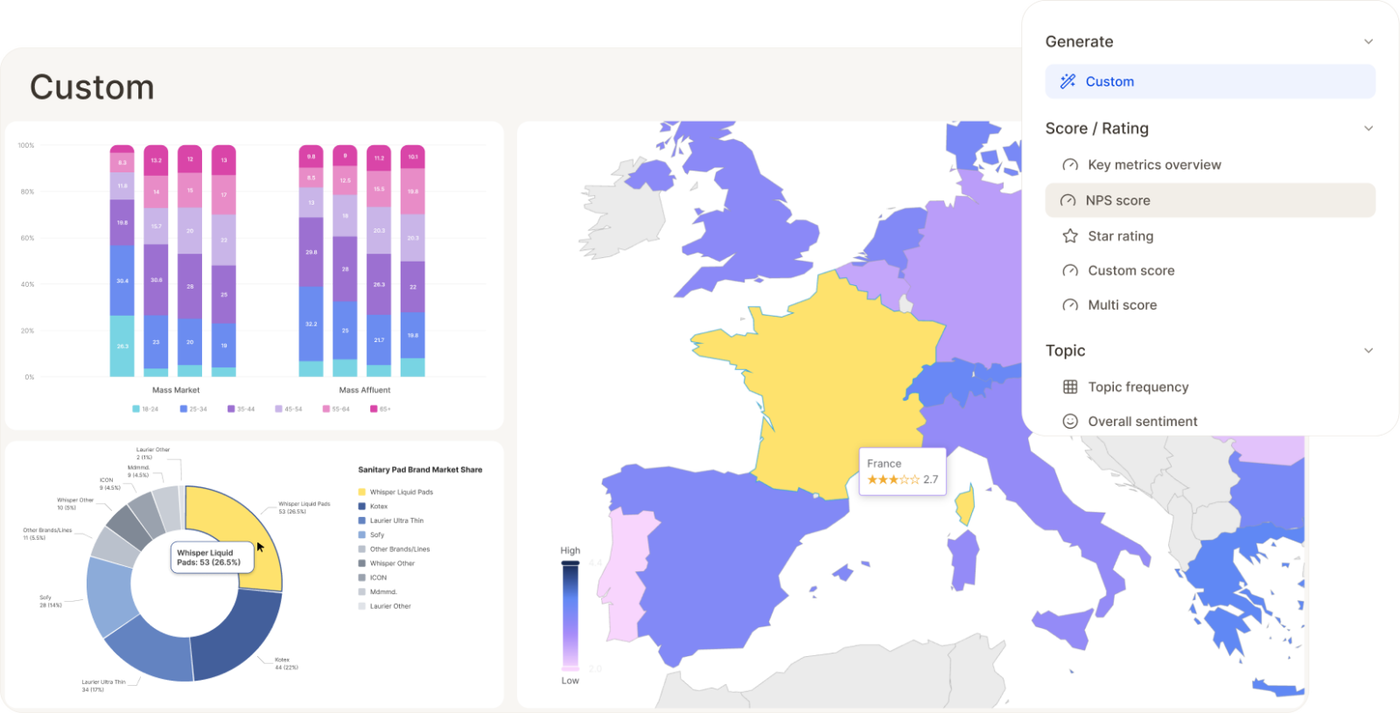
Some visualizations don't fit a preset. Now you don't need one to fit — just describe the chart you want, and AI builds it: type, data, styling, all of it.
Find it in the list of available insight elements and select Custom
Not quite right? Use Refine your chart... to adjust with a follow-up prompt
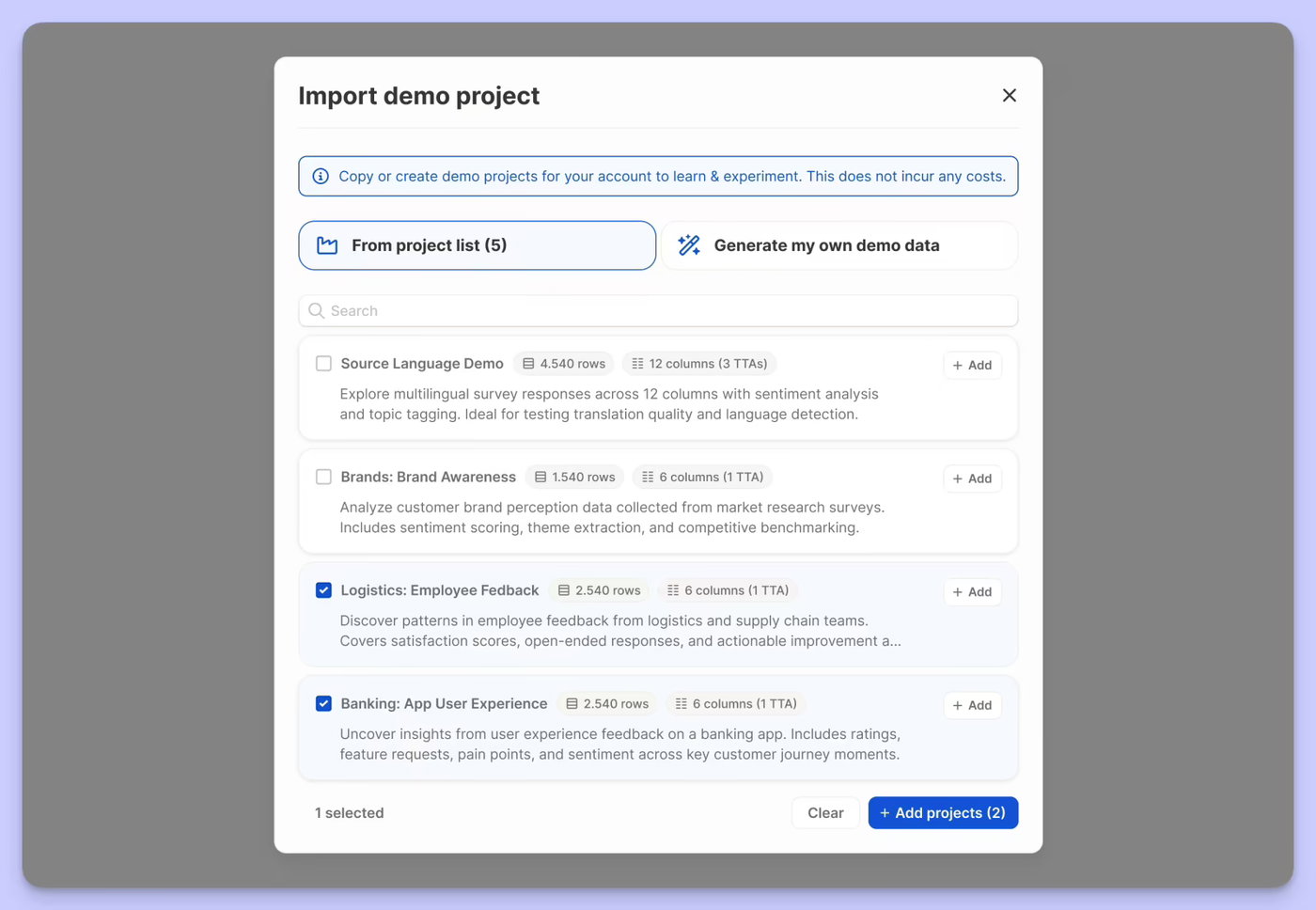
Getting started with realistic data just got a lot more flexible. You can now either pick from a curated list of pre-built demo projects — spanning different industries and research types — or generate your own from scratch by describing your use case and letting Caplena create a fully analysed project tailored to it.
Whether you're onboarding a new team, exploring a use case before committing real data, or just want to see what Caplena can do, demo projects are now a first-class way to get there.
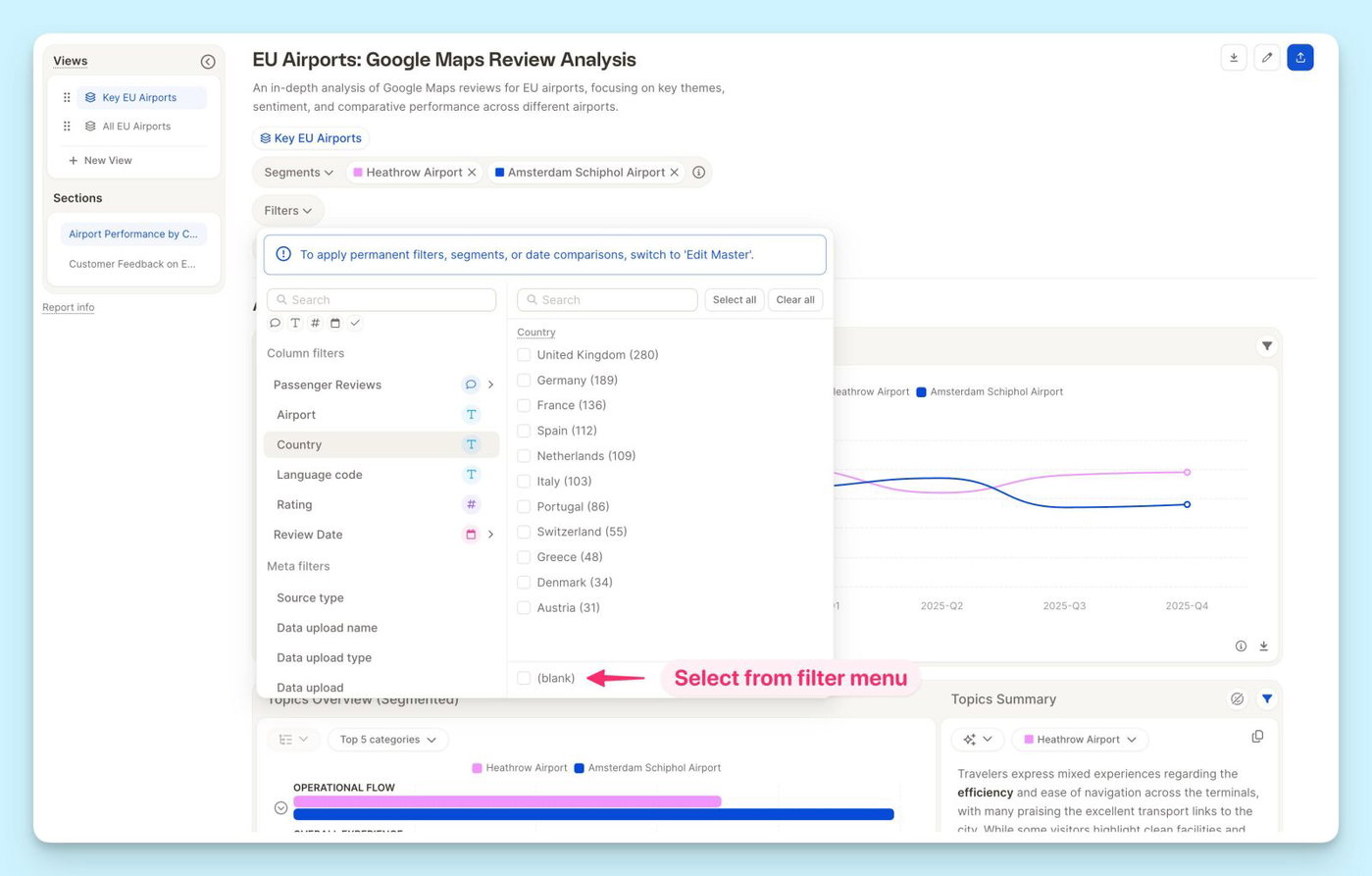
You can now filter any column by blank — empty cells are no longer invisible to your filters.
Whether you're tracking down a missing date, a smart column that didn't populate, or a row with an identifier error, just select the "blank" filter and they'll surface instantly. No more hunting through your data manually.
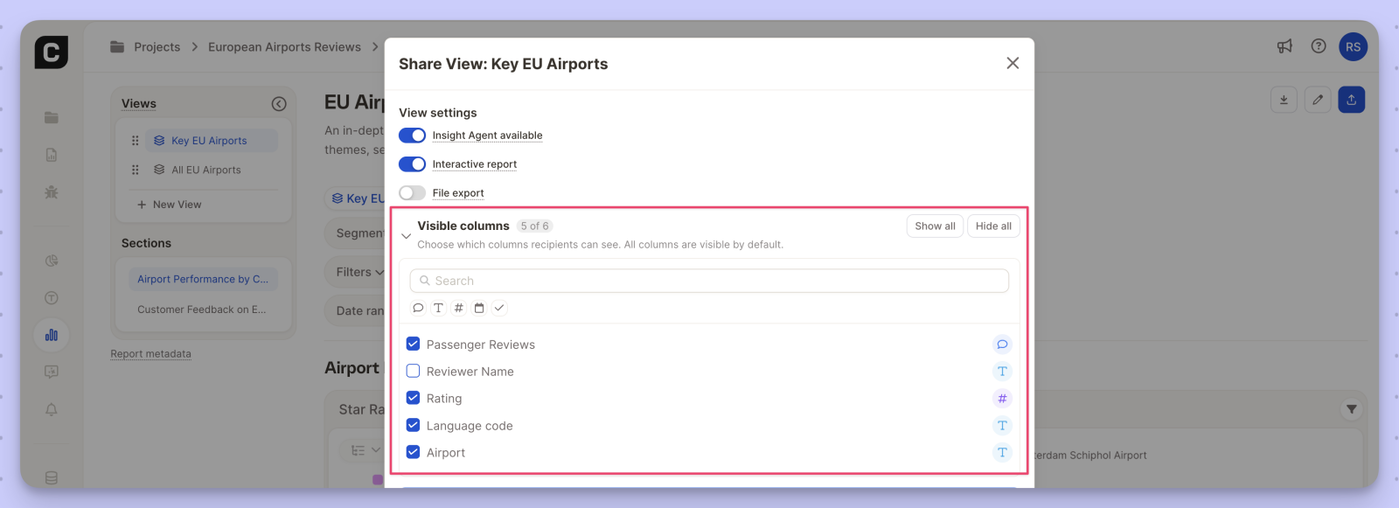
You can now control exactly which columns report viewers see when you share a view.
What's new
New Visible columns section in the view sharing settings
Check or uncheck individual columns per view
Hidden columns are excluded from the row browser, filters, segments, and insight elements
All columns visible by default — use Show all / Hide all to reset quickly
Search to find specific columns in larger datasets
Why it matters
Share cleaner, more focused views with external stakeholders or specific teams — without exposing raw data columns that aren't relevant to them.
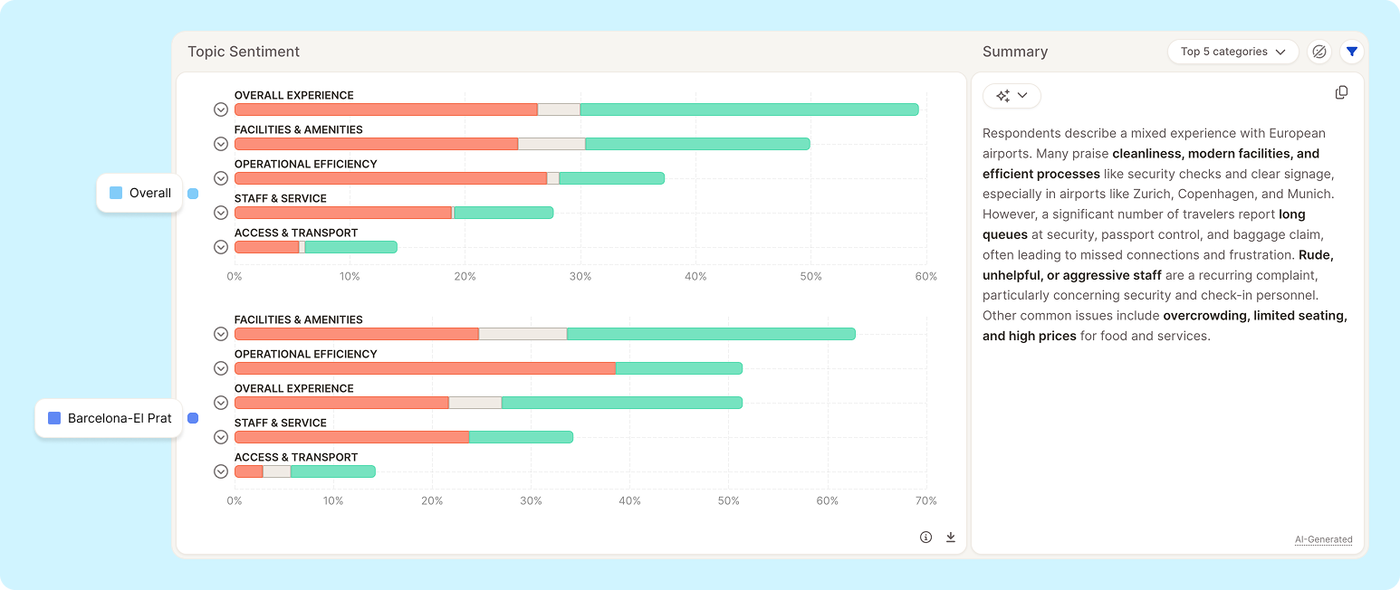
The Topic Sentiment insight element now supports comparing multiple segments side by side in a single view.
Previously, analyzing sentiment across segments required switching the segment filter back and forth. Now, when multiple segments are selected, the chart displays all of them at once, stacked by segment, so you can immediately see how sentiment on each topic varies across your audience.
What's new:
Select multiple segments and see all of them rendered in the Topic Sentiment chart simultaneously
Compare positive/negative sentiment per topic across segments without toggling filters
We've completely reworked how you create and manage segments in Caplena — making it faster, more flexible, and a lot more powerful.
Create Segments Your Way
The new Segment Editor gives you two ways to get started: manually or via AI prompt.
If you know exactly what you're looking for, the Manual path lets you build segments by combining filters — topics, categories, sentiment, rating, date range, and more. You get precise control over exactly which responses land in each segment.
Prefer to move faster? Use the new Create Through Prompt option: just describe what you're looking for in plain language, and Caplena will generate the segment for you. Great for exploring your data or quickly setting up common groupings without having to configure each filter by hand.
Create Multiple Segments at Once
One of the most requested improvements: you can now create multiple segments in a single flow, rather than going back and forth through the editor one by one. Select the values you want to work with and create segments from them in bulk — a big time-saver when you're setting up a new project or reorganizing an existing one.
Full Control Over Segment Appearance & Visibility
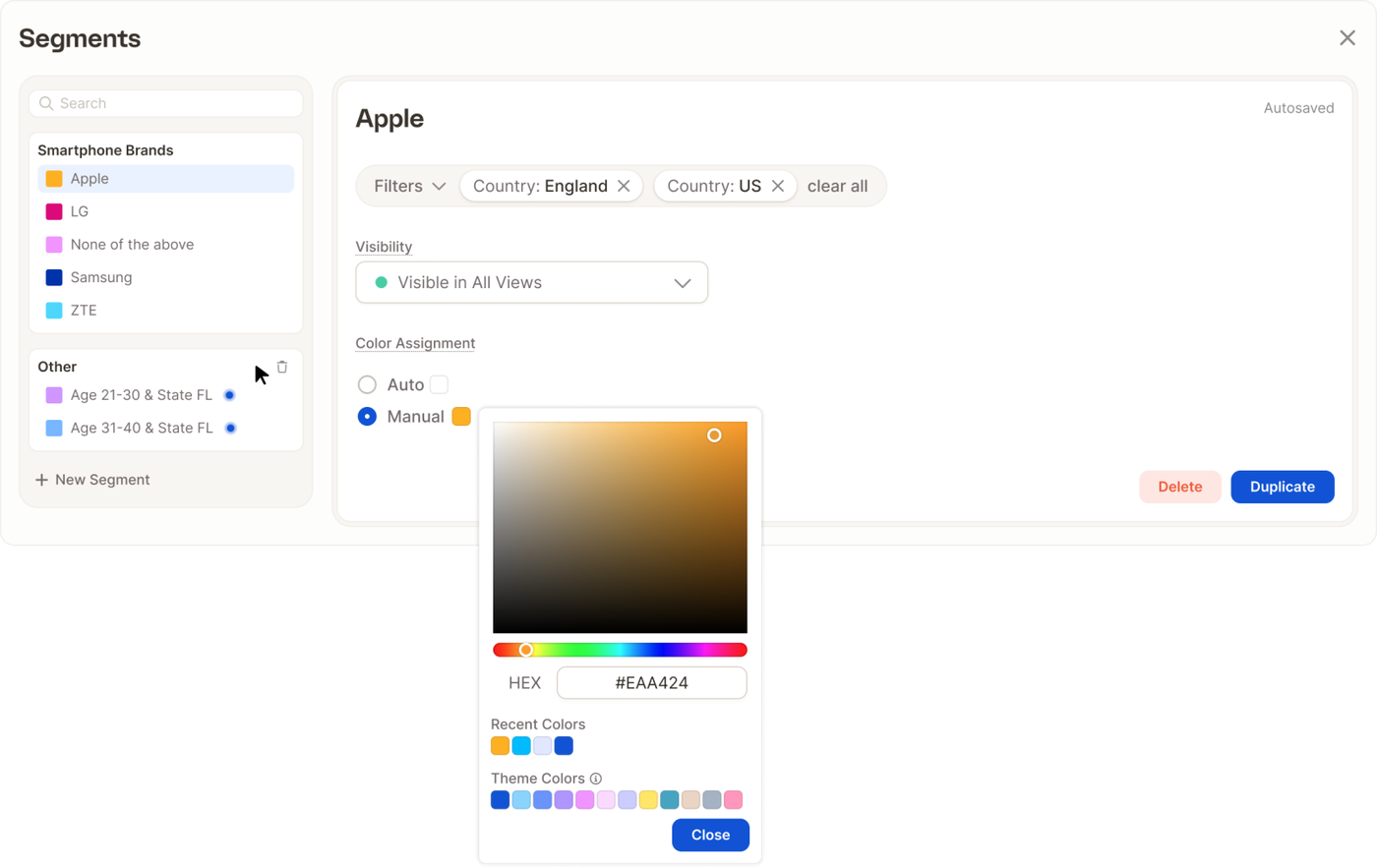
Once a segment exists, editing it is straightforward. You can update the name, adjust the filters, and pick a custom color from a full color picker (in manual- or in auto-assign mode) — so your segments are easy to tell apart at a glance in charts and tables.
You can also control visibility: choose which segments are shown or hidden in your views, keeping things clean when you're working with a large number of groups.
The updated Segment Editor is available now across all projects via Edit Master. Give it a try and let us know what you think.
We've optimized rendering for table-based insight elements — especially when displaying a large number of topics. If you've been using the "All topics" selection in your reports, you should notice significantly faster load times and smoother interactions.
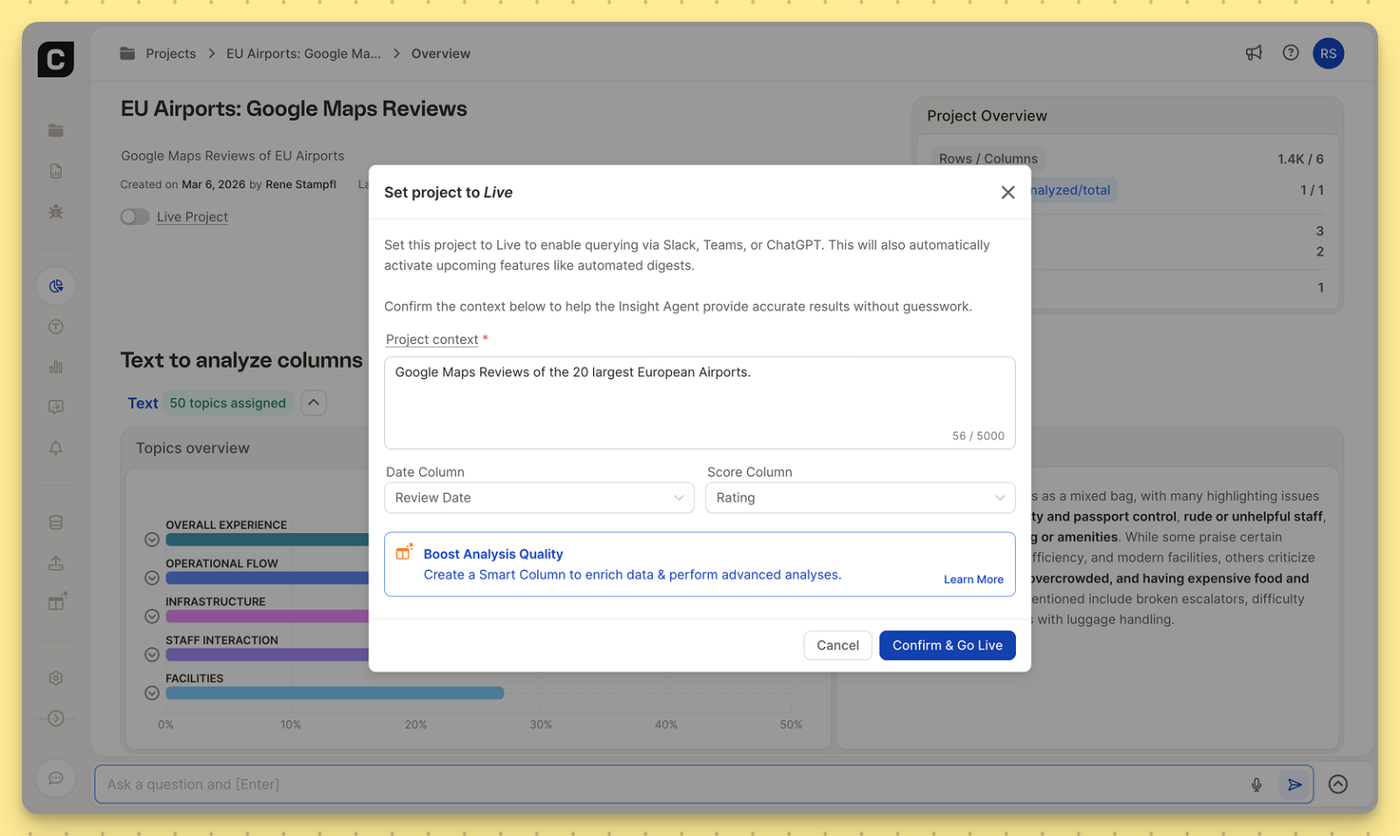
To get the most accurate answers from Caplena’s Insight Agent—especially when querying your data via Slack, Microsoft Teams, or ChatGPT, the AI needs to understand the blueprint of your project.
We’ve rolled out a few structural updates to reduce AI guesswork and make the Insight Agent even more powerful:
10x More Project Context: We’ve increased the character limit for your Project Context from 500 to 5,000 characters. You now have the space to thoroughly brief the AI on the specific nuances, background, and goals of your dataset.
Default Date & Score Columns: You can now explicitly define which columns represent your primary timeline (e.g., Review Date) and primary metric (e.g., Rating). By setting these defaults once, the AI immediately knows how to accurately track trends and weigh sentiment without needing extra prompting.
Where to find it: You can update these anytime in the Data View, or simply confirm them when setting your project to Live to connect with everyday tools like Slack, Microsoft Teams, or ChatGPT.
We’ve separated the global Report Master from your custom Views for a cleaner, more intuitive workflow. Plus, sharing just got a major upgrade. Let's dive in:
🧱 Edit Report Master: Think of it as your global foundation: Manage insight elements & sections per drag & drop, create segments and apply filters. The settings will automatically cascade down to all of your Views.
🔎 Configure Views: Select segments, apply filters, and lock them exactly as you are used to. Keep the Views sidebar perfectly organized by easily dragging & dropping your Views into any order.
🚀 Share: You can now instantly share a single View, a custom selection of Views, or the entire Report.
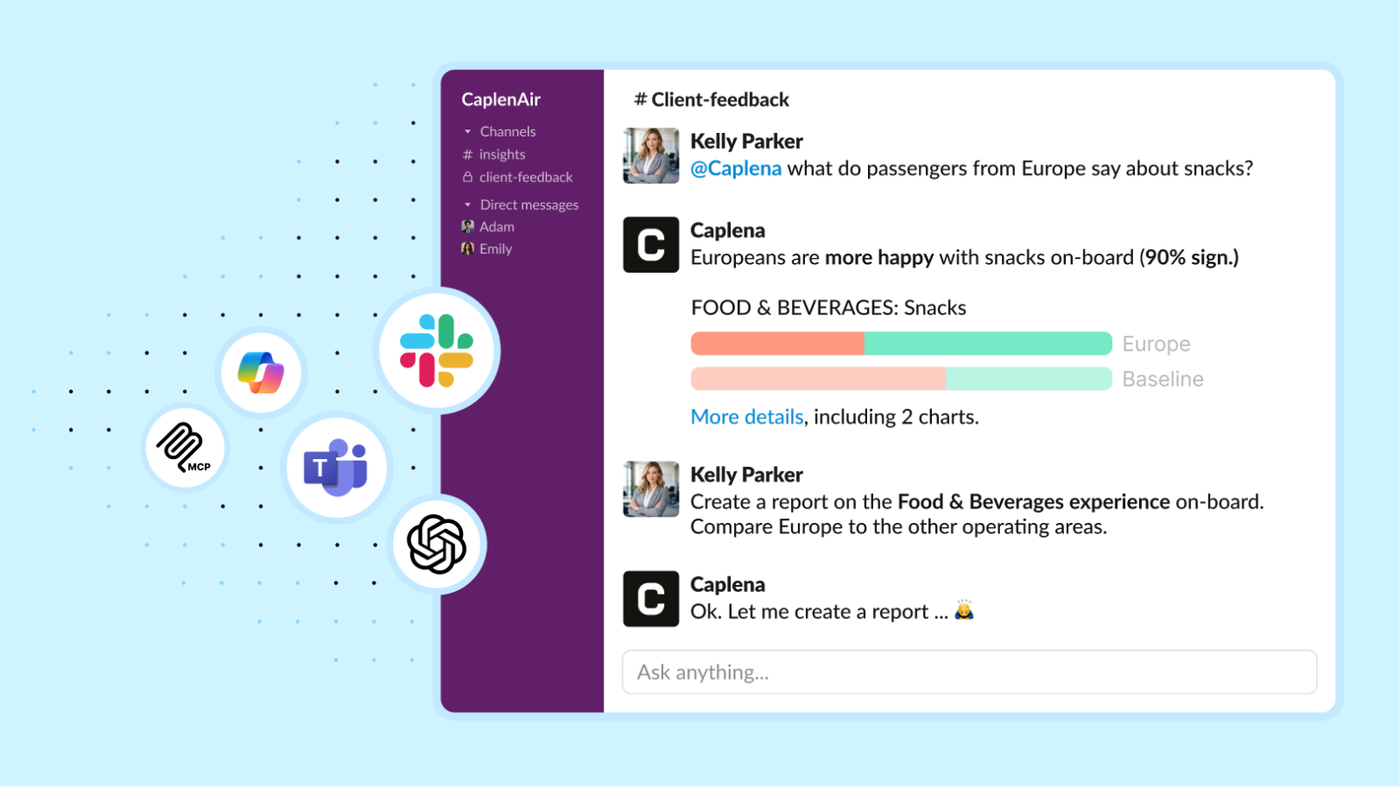
Powerful for Experts, Effortless for Everyone — now where work happens. Insight Agent is now available in Slack, Microsoft Teams, Copilot, and ChatGPT (MCP), so anyone can ask questions and get reliable insights without leaving their daily tools.
This is a big step toward democratizing insights across your organization: experts move faster with on-demand analysis, while non-research teams self-serve clear, actionable answers — no dashboards, training, or back-and-forth required. Less chasing data. More turning feedback into decisions. 💪
How it works
Create a shared channel (e.g., #customer-feedback-insights)
Ask questions by tagging the agent with @Caplena in 1:1 messages or public channels
Here is an example question: @Caplena What topics had the biggest impact on the NPS change in the last 4 weeks?
Advantages
Help teams discover what the bot can do (and copy great prompts)
Learn from each other’s use cases over time
Discuss insights together — and jump in if you disagree
Keep decisions and learnings accessible for everyone
👉 Set up the integration in your Integrations Settings and get started.