📢 Changelog – Fresh Features & Fewer Bugs (Hopefully)

Ah, updates - like taxes and awkward Zoom calls, they’re inevitable. But at least ours are more fun, come with fewer surprises and (hopefully) more fixes. Here’s where you’ll find what’s new, what’s improved, and what we accidentally broke (but promptly fixed). So grab a coffee, take a deep breath, and dive into the wonderful world of feedback evolution - one update at a time.

Jan 12, 2026

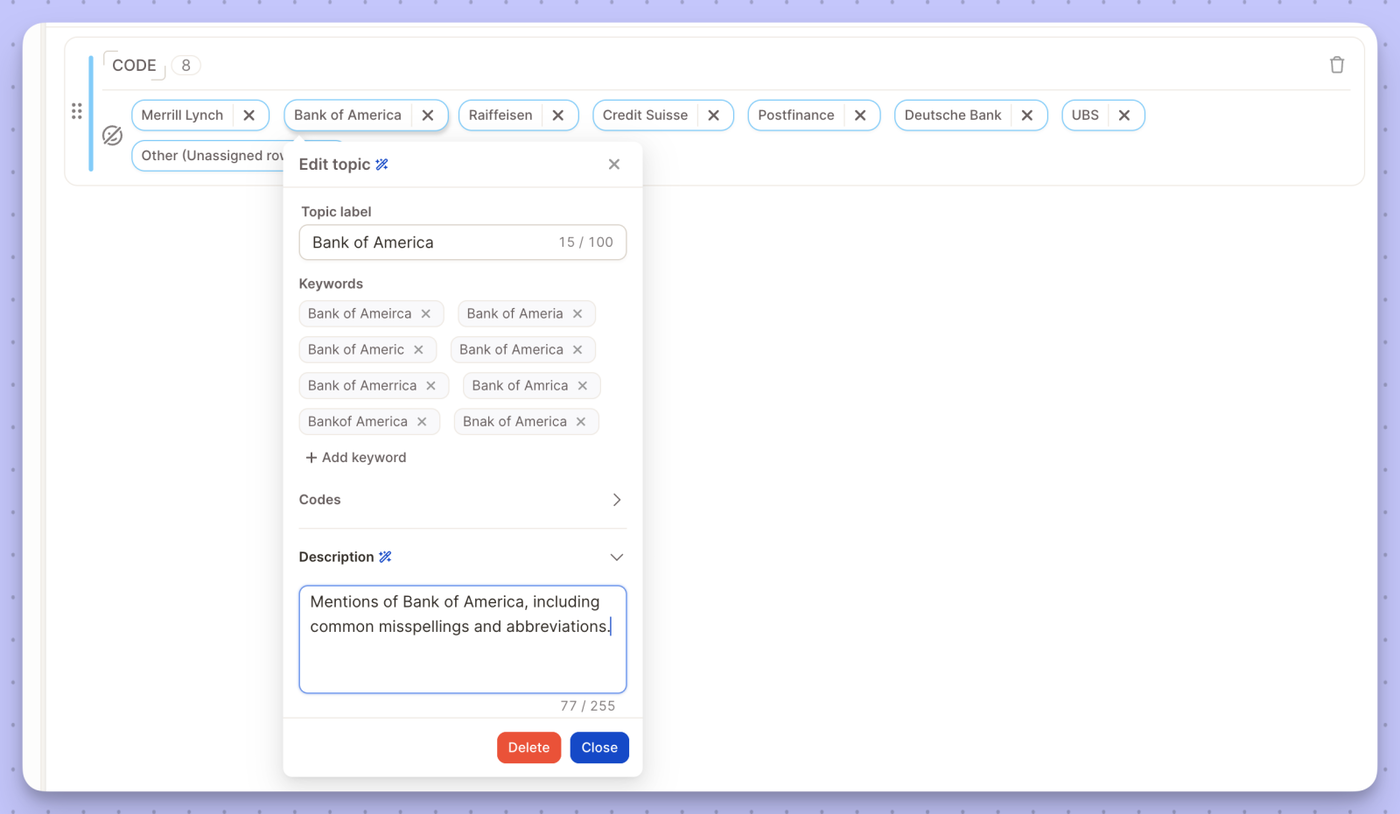
We’ve heard your feedback: analyzing a deep-dive customer review requires a different "brain" than analyzing a list of 500 slightly misspelled brand names. To give you the best of both worlds, we are introducing Semi-Open Mode, a specialized algorithm designed for precision in short-text and brand-awareness data.


🧠 Choosing the Right Tool for the Task

Not all text data is created equal. Depending on your source—whether it's an open-ended "Tell us more" or an unaided brand recall question—you now have the power to choose the AI logic that fits best.

1. Open Mode: Deep Semantic Understanding

  • Best for: Complex feedback, full sentences, and emotional nuances.
  • How it works: This mode looks at the meaning behind the words. It understands negations ("not happy"), synonyms, and the underlying sentiment of multiple sentences.
  • Use case: "The check-in was slow, but the staff was incredibly friendly and made up for it."

2. Semi-Open Mode: Precision for Short Text

  • Best for: Unaided brand awareness, single words, or short word groups with many duplicates.
  • How it works: This mode focuses on spelling similarity and clustering. It is optimized to catch typos and group variations of the same brand or product name without over-analyzing for "emotion."
  • Use case: "Nike," "Niky," "Nike Inc," or "Adidas."

🛠️ How it Works in Your Workflow

We’ve integrated this choice directly into the Topic Assistant setup. In many cases, Caplena will even auto-detect if your data looks like a brand list and suggest the Semi-Open algorithm to save you time.

Jan 06, 2026

At Caplena, our goal has always been to turn the "noise" of open-ended text into clear, actionable insights. To keep pushing the boundaries of what AI can do for your feedback analysis, we are focusing all our energy on Caplena 3.0.

As part of this transition, we will be officially switching off Caplena 2.0 on March 31, 2026. To ensure your workflows remain uninterrupted and to take advantage of our most powerful features yet, we encourage all users to complete their migration to version 3.0 over the coming weeks.


Why the Move?

Caplena 3.0 isn't just a fresh coat of paint; it’s a completely re-engineered core designed for the era of Large Language Models (LLMs). Here is what you get in the new platform:

  • Integrated LLM Power: Out-of-the-box human-level coding quality and your personal AI agent to explain the "why" behind your data.
  • Smart Columns: A powerful new way to categorize and map data using custom logic and AI, giving you more flexibility than ever before.
  • Advanced Reporting & Views: Create multiple views with unique sets of filters and segments—one for each stakeholder, region, or product team.
  • Workflow Integrations: Connect seamlessly with Qualtrics, Medallia, Slack, Microsoft Teams, and 20+ other integrations.
  • And much more! 🚀

How to Transition

All your existing projects can be migrated. Our team has built a seamless transition path to ensure your historical data and custom codebooks remain intact. Most users can complete the switch in under 5 minutes:

  1. Log in to your current dashboard.
  2. Click the "Go to Caplena 3.0" banner at the top of your screen.
  3. Explore the new Navigation: You'll find your familiar Topics, Reports, Data Sources, etc. on the left sidebar, now with a much cleaner, more responsive UI.
  4. Verify your Reports: Open your existing reports in the new 3.0 editor to see the enhanced visualization options.

Need a hand with the move? Our support team is standing by to help with your migration.

Dec 23, 2025

You can now connect Caplena directly to Google Cloud Storage.

This new integration lets you import feedback and text data straight from your Google Cloud Storage buckets into Caplena. Whether you’re working with continuous data exports, archived feedback, or structured text files, Caplena fits seamlessly into your existing cloud setup

👉 Set up the integration in your integrations settings and get started.

Dec 22, 2025

Caplena parle désormais français !

You can now use Caplena’s interface in French, making it easier for French-speaking teams to explore feedback, uncover insights, and collaborate across regions. From navigating projects to working with reports and insight elements, everything feels more natural in your preferred language. 🇫🇷 🥐

This update is part of our ongoing commitment to make insights accessible to global teams — wherever they work and whichever language they think in.

👉 Switch the interface language in your account settings and start exploring Caplena en français today.

Dec 03, 2025

Ask questions with your voice — faster, hands-free insights.

You can now speak your questions directly into Caplena and get instant answers from your data.

What’s new:

  • Voice input: Ask Insight Chat anything using your microphone
  • Faster workflows: Perfect when you’re multitasking or on the go
  • Multilingual support: Works across the languages Caplena understands

Give it a try next time you open Insight Chat — just tap the microphone and start speaking.

Dec 01, 2025

Import your SurveyMonkey responses into Caplena — seamlessly.

You can now connect SurveyMonkey directly to Caplena and analyze your survey results with the full power of our AI-driven platform.

With the new integration, you can:

  • Link your SurveyMonkey account in just a few clicks
  • Import responses automatically — no more manual CSV uploads
  • Choose the surveys and fields you want to sync
  • Analyze responses instantly with topics, sentiment, drivers & more
  • Keep your insights up-to-date by synchronizing

Ready to try it? Connect your account in Integrations → SurveyMonkey and start analyzing within minutes.

Nov 28, 2025

Restrict viewer access with static report modes

You can now share non-interactive report views for situations where you need full control over what viewers see.

When the Interactive report toggle is turned off, the report becomes fully static:

  • All segments, filters, and date ranges are locked
  • Viewers can’t adjust or explore alternative filters
  • Your curated view stays exactly as intended

Perfect for sharing sensitive results, fixed dashboards, or executive-level summaries where consistency matters.

Nov 17, 2025

This is big news! You can now create, transform, and adapt formulas with a single prompt — making it easier than ever to build powerful logic, mappings, and transformations without writing anything by hand.

What’s new?

  • Generate formulas and mappings using plain language
    Describe what you want (“Match airports with airport codes”, “Add a 001 for every product from the Beverages category”), and Caplena creates the Smart Column for you.
  • Transform existing formulas and mappings
    Already have something built? Ask the generator to refine, extend, simplify, or fully rewrite it.
  • Full awareness of your data
    Caplena knows which columns exist in your dataset and can reference up to 100 values from your numerical or text columns — ensuring suggestions are accurate and context-aware.

Why it matters

You get clean, customized Smart Columns in seconds — effortless to use and built to handle any task.

How to try it

Open a Mapping or Formula Smart Column → click the “Generate with AI" button → describe your intent. Let Caplena handle the rest 😌

Nov 14, 2025

You can now import feedback from any QuestionPro CX survey directly into Caplena — no extra setup needed.

What’s new?

  • Connect your QuestionPro account once
  • Pick any survey you want to analyze
  • Pull responses instantly into Caplena
  • Keep your data fresh with automated syncs

How to try it

Select Integrations → QuestionPro during your data source setup, connect your workspace, and select the survey(s) you want to import.

Nov 10, 2025

No more worrying about skewed results or unbalanced samples — you can now apply weighting variables directly in your reports.

Here’s what’s new:

⚖️ Weighted results — Upload a numeric weighting column and let Caplena apply the variables automatically across NPS scores, percentages, and other key metrics. 
📊 More accurate reporting — Ensure results remain representative, even when sample compositions shift between waves.
💡 Consistent KPIs — Keep your data aligned with the way you already report internally.

Whether you’re tracking customer sentiment over time or comparing markets, weighting variables help you get truer insights.

>> Simply upload your weighting column and select it when creating your report.

Oct 27, 2025

We know every audience needs a slightly different story. That’s why we built Views — a smarter way to organize, personalize, and share your reports.

With Views, you can now:

  • Create multiple Views of the same report — one for each stakeholder, region, or product team.
  • Apply unique filters and segments without affecting the original report.
  • Lock filters or hide segments to keep key perspectives fixed while still allowing others to explore further.
  • Share Views securely — inside your team or externally via link, with optional password or expiration date.
  • Turn Insight Chat on or off, allowing viewers to explore your report more interactively, or keep it off for a focused, read-only experience.

No more endless versions or one-size-fits-all dashboards. Just clear, focused insights — customized for every audience. 🚀 Available now under your report’s “Views” panel.

Oct 10, 2025

Running an AI update no longer means updating everything at once. With AI Updates for Selected Topics, you can now update only selected topics — saving both time and credits.

Here’s how it works:

  • 🧠 Caplena automatically identifies which topics have changed since the last AI run.
  • 🏷️ You can choose to update selected topics, or still run a full update if you prefer.
  • 💸 Save credits and stay in full control.

Whether you’re refining a few details or testing small changes, AI Updates for Selected Topics give you full control over what gets updated — and when. 🚀