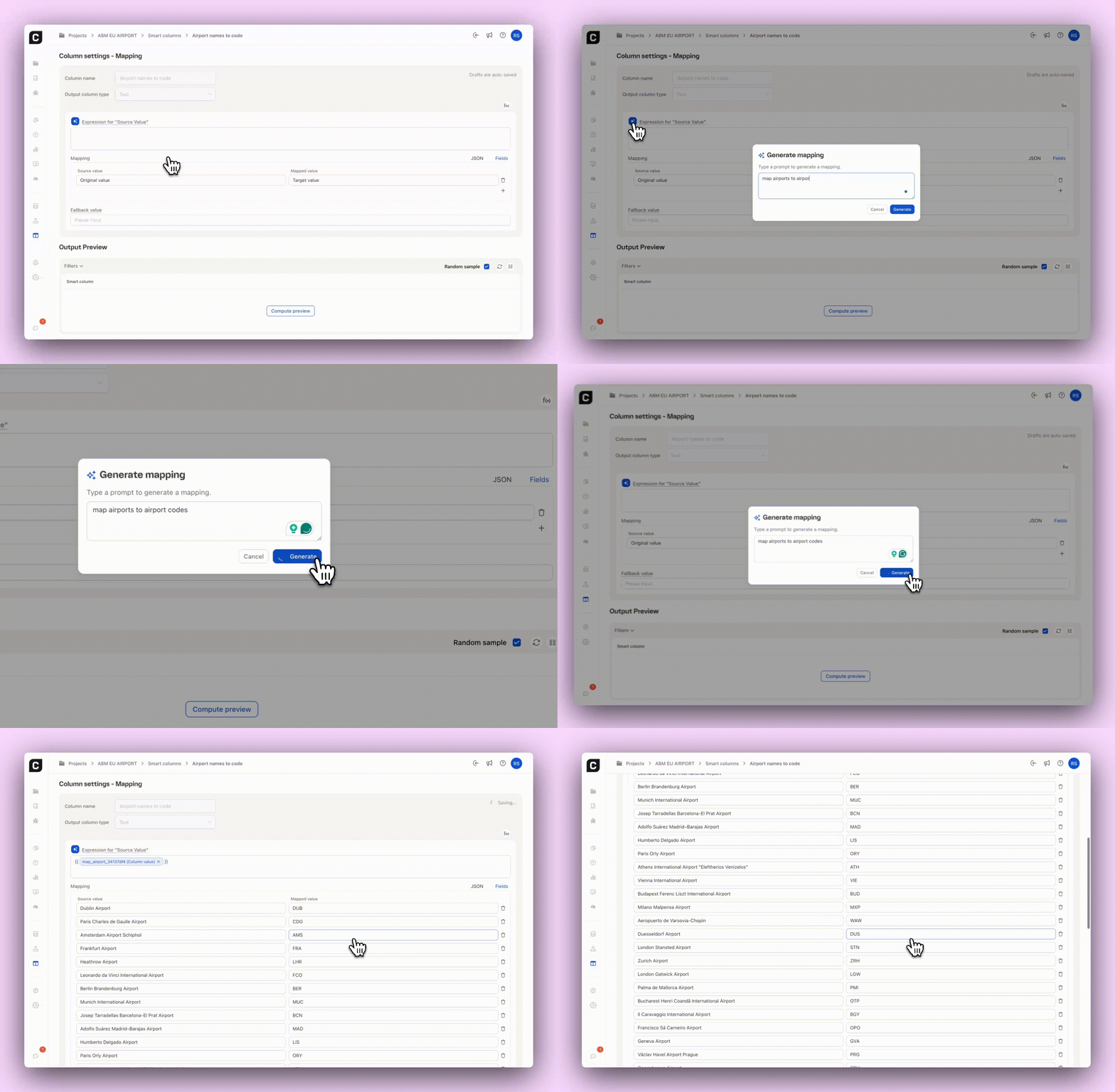
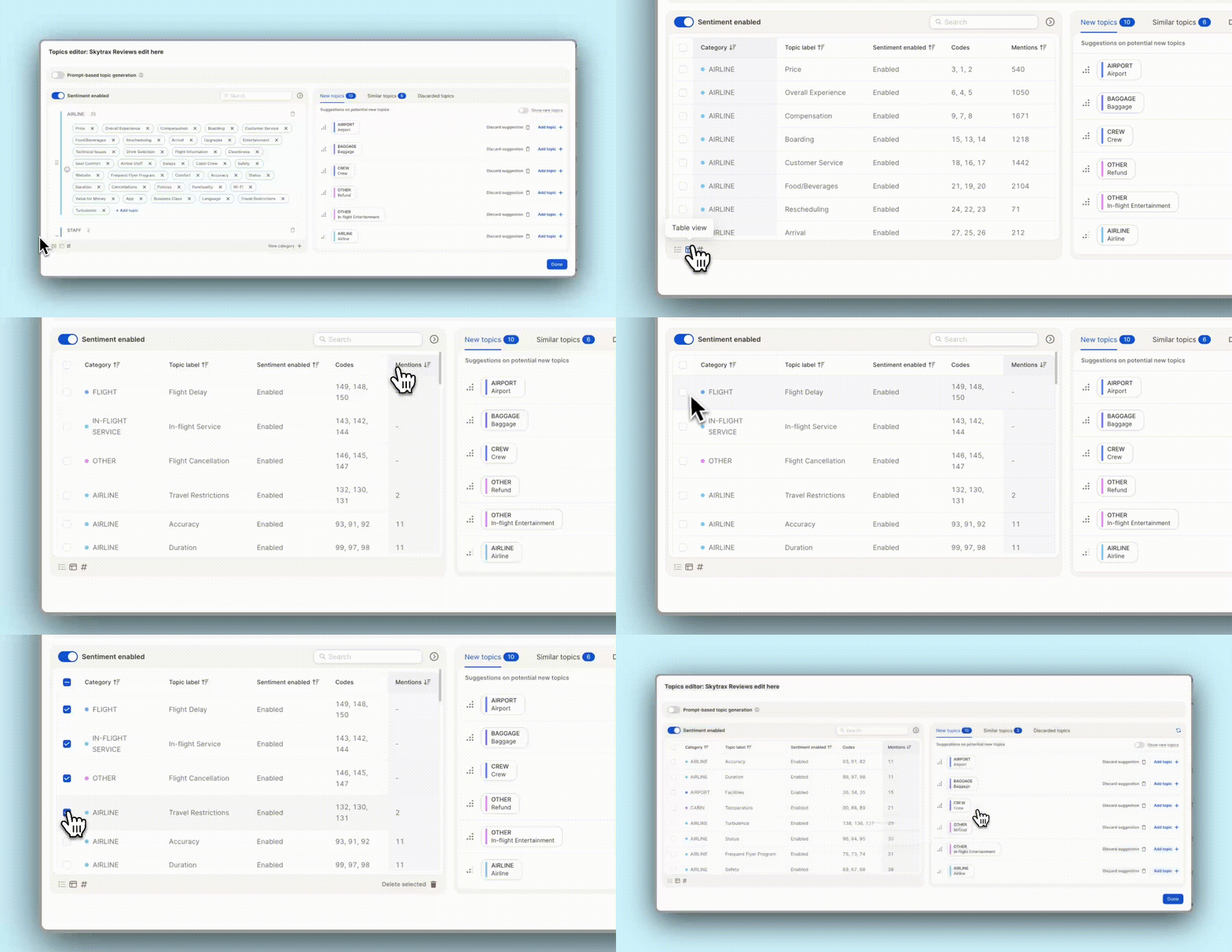
Cleaning up your topic list just got easier. You can now see the number of mentions per topic in the Topic Assistant’s table view. Sort by count to quickly spot low-volume topics. Perfect for finding outliers!
✨ Bonus: Easily bulk-delete underperforming topics in one go. Less noise, more clarity.
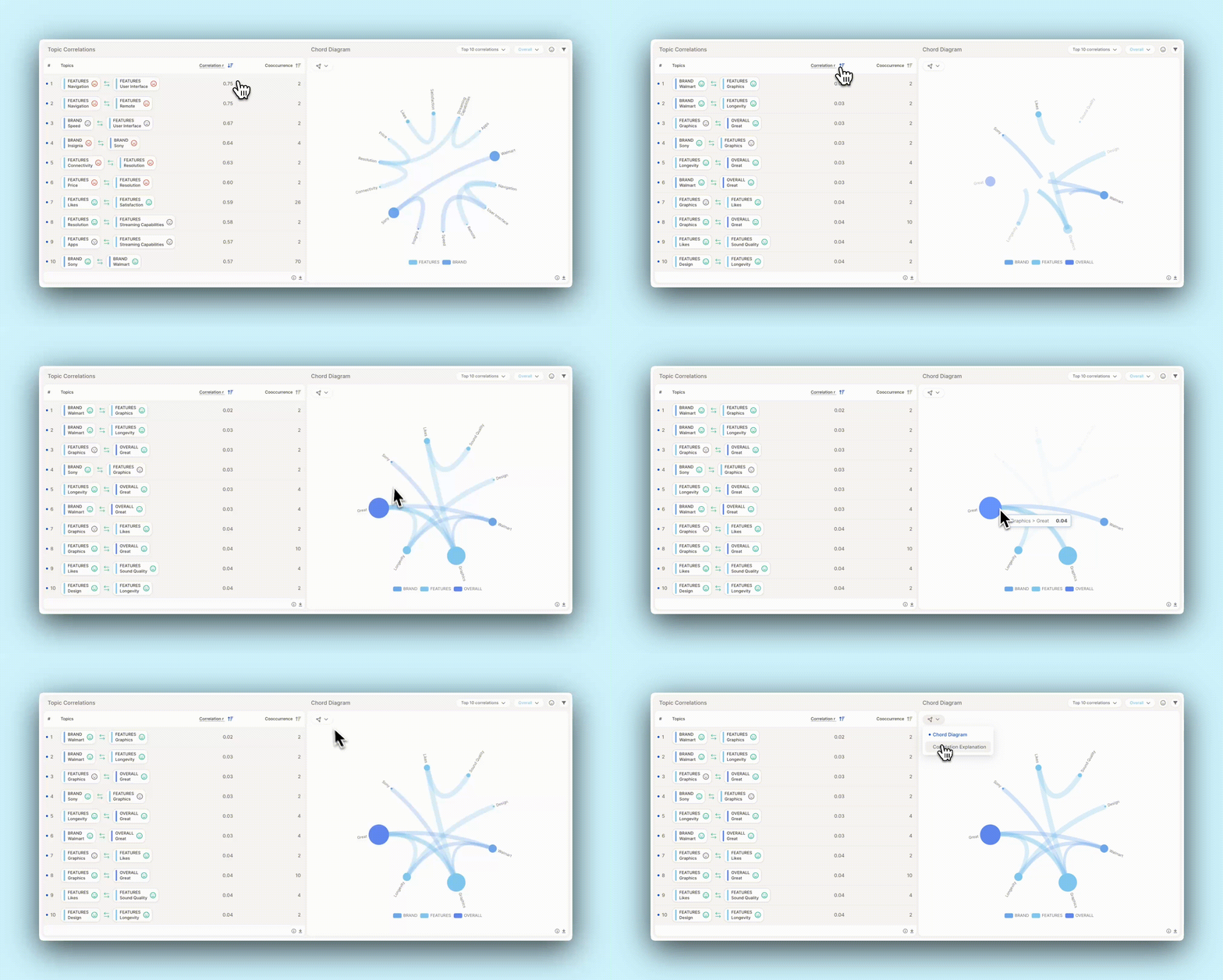
Ever wonder which topics are frequently mentioned together — and how strongly they're linked? The new Topic Correlation insight element helps you spot these patterns at a glance.
See top topic pairs and their correlation strength
Explore connections visually via an interactive chord diagram
And the best part? AI explains why two topics are connected — so you don’t just see what’s linked, but also understand the reason behind it.
Whether you're uncovering hidden relationships or streamlining your analysis, this view makes complex connections simple (and beautiful).
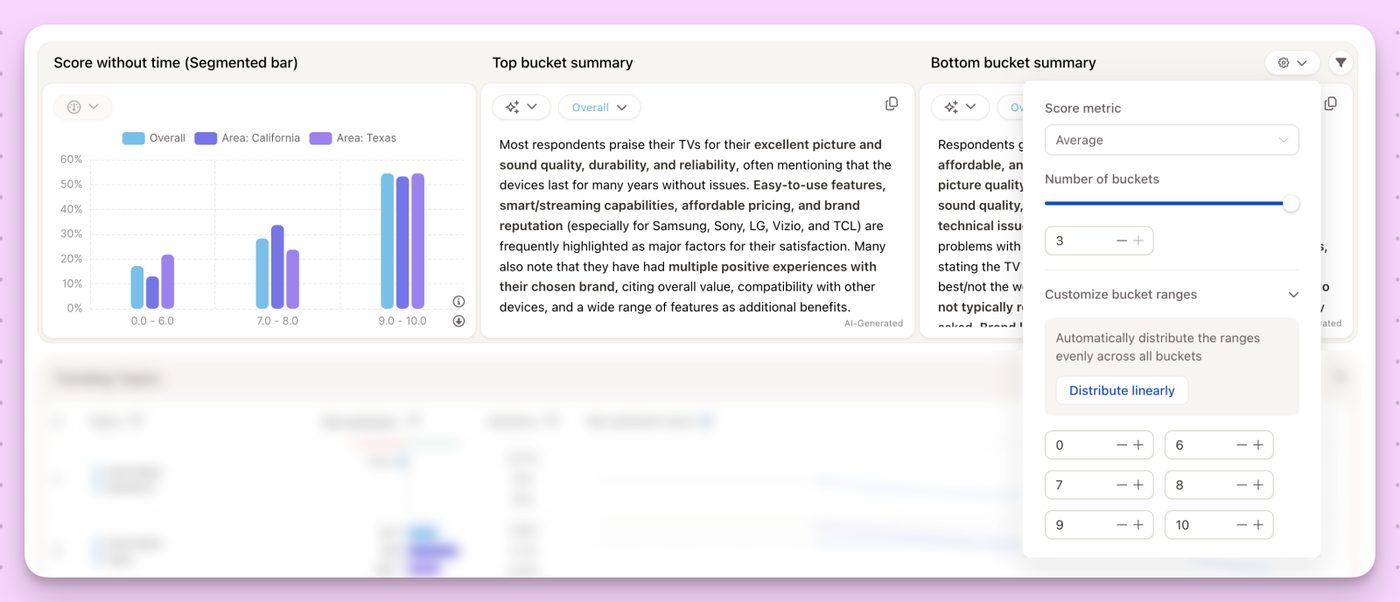
We know not every score needs a timeline. Whether you're working with star ratings, CSAT, NPS, or any other numeric scale, sometimes you just want a clean, at-a-glance breakdown without the clutter of time trends.
The new Generic Score without Time IEis a simple and powerful way to segment scores and instantly see what’s driving satisfaction (or frustration).
🧠 What’s inside:
Segmented Score Buckets
Group responses into buckets (e.g. 0–6, 7–8, 9–10) with full control over how you define the ranges.
Fully Customizable
Use your own score column, define the number of buckets, tweak bucket ranges, and choose your metric (e.g. Average, NPS-style).
Auto-Generated Bucket Summaries
Caplena automatically summarizes the top drivers for each score range. No more guesswork, see what’s pushing numbers up (or dragging them down) at a glance.
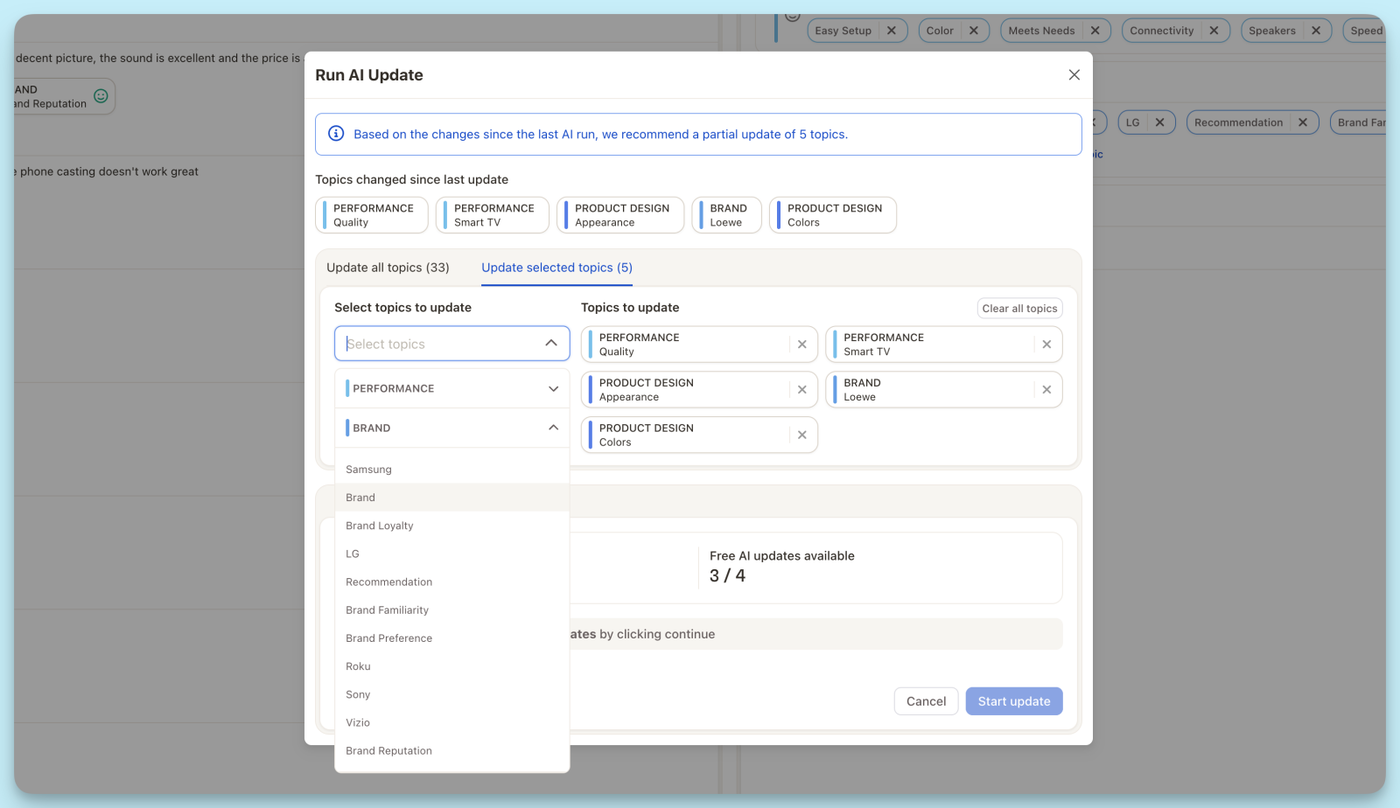
Introducing Prompt-based Topic Generation — your new secret weapon for steering topic detection exactly where you need it to go. Whether you want to zoom in on very specific themes or just give our AI a nudge in the right direction, this feature lets you shape the outcome with precision.
You now have two powerful modes:
🎯 New Topic Suggestions
Add fresh topics on top of your existing collection. Just write a prompt (e.g., “Return all brand names”), review the AI’s suggestions, and add the most relevant ones in seconds.
📚 Redo Topic Collection
Want to start over? Let the AI rebuild your entire topic collection from scratch, based on your prompt — perfect for testing new approaches or exploring your data from a different angle.
No more tedious manual editing. Just tell the AI what you’re after, and it creates the structure for you.
Exporting your data for BI tools just got a whole lot smoother. You can now download Topics and Data in a format that plays nicely with Power BI (and other analytics tools too).
What’s included?
Topic Names
Categories
Sentiment
And more — all cleanly structured and ready to plug into your dashboards!
We’re excited to introduce the brand-new Topic Trends insight element — your new go-to tool for tracking how topics evolve over time and across segments. Whether you're looking to surface rising concerns, celebrate positive trends, or stay ahead of sentiment shifts, this element gives you a clear, visual edge.
🔍 What’s New?
Time-Based Trend View
View net sentiment trends and mention volume changes across quarters, months, or custom time ranges. Easily compare how key topics are performing now vs. before — all at a glance.
Segment Comparison
Switch between different customer segments or markets to see how topic trends shift by audience. What’s trending for one group may be old news for another.
Give it a try in your next report and see which topics are riding high… or heading south. 🫨
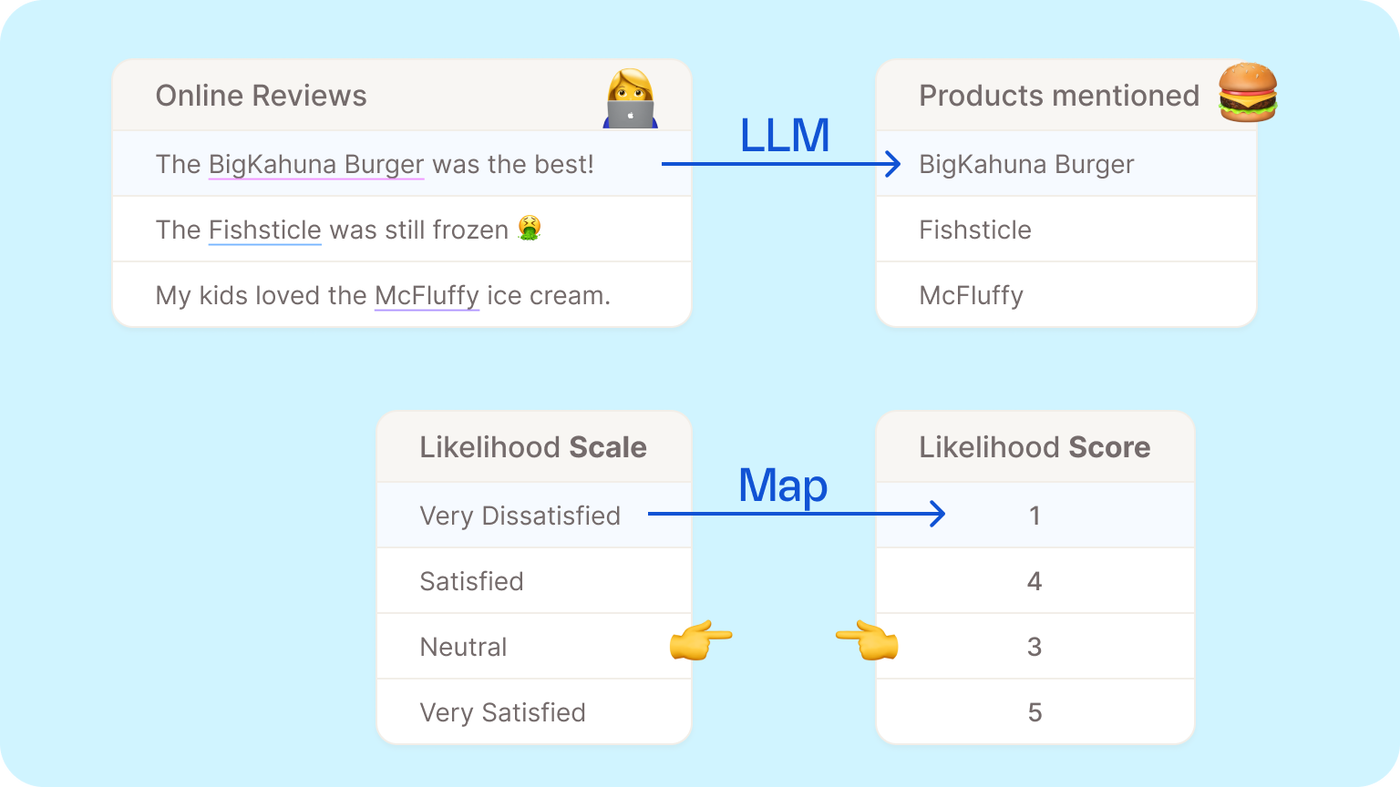
Sometimes coding codes get a little… chaotic. 😅 Whether it's from imports, edits, or just plain entropy, things can get messy.
Good news: you can now re-distribute the numerical values of your coding codes automatically! Perfect for making everything neat, logical, and back in order — no manual renumbering needed.
One click, and your codebook’s looking sharp again. 🎯
Made a mistake with a file upload? Or want to track what came from which integration? We've got you covered. You can now filter by upload name and type!
Quickly isolate data from a specific file or integration
Effortlessly “undo” or clean up an accidental upload
Great for managing multiple data sources with confidence
You can now invite unlimited reporting-only users to your Caplena workspace — ideal for sharing insights with larger teams, departments, or external stakeholders.
Whether they're inside or outside your organization, anyone can now access your reports without editing rights — helping you scale insight sharing without limits. 🚀
No limits on reporting-only viewers
Great for broader access without editing rights
Updated Team page to manage reporting-only users with ease
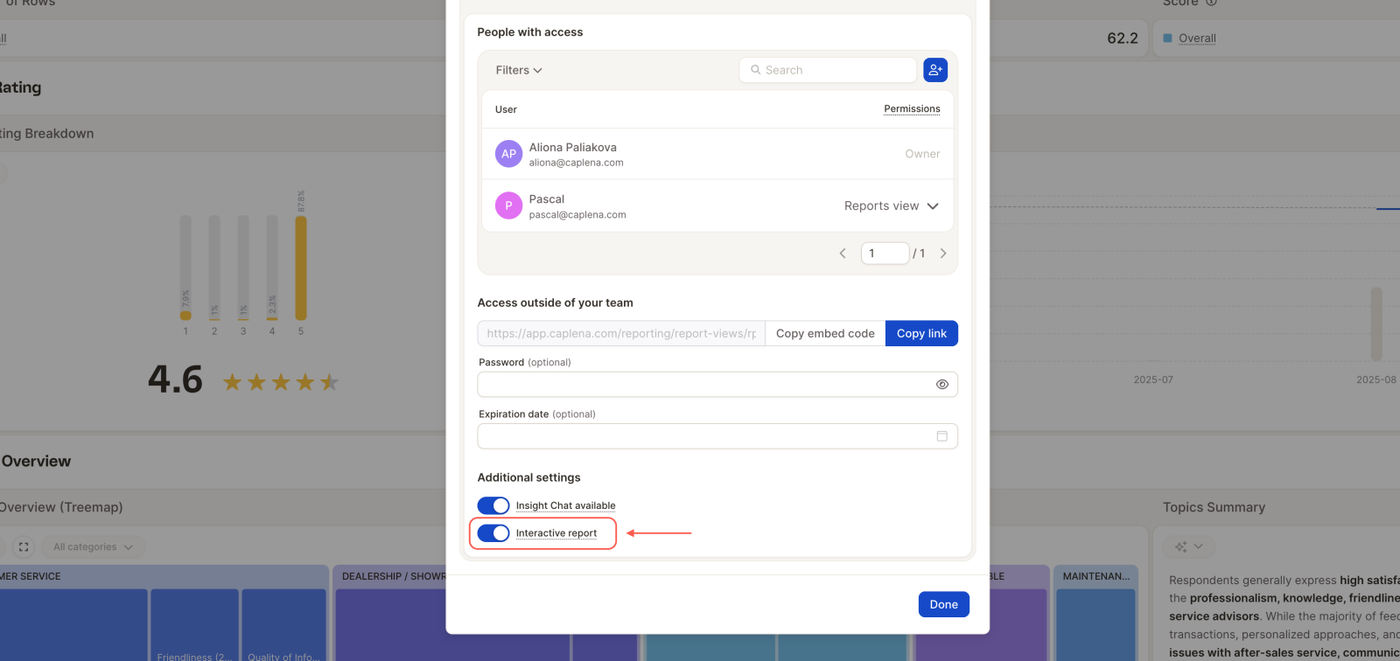
You can now copy an iframe embed code directly from the report sharing modal — making it easier than ever to embed Caplena reports into your internal tools or website(s).
Works just like a YouTube embed — but for insights. Just hit “Copy embed code”, paste it wherever you need.