
🫥 Hide columns per shared view
You can now control exactly which columns report viewers see when you share a view.
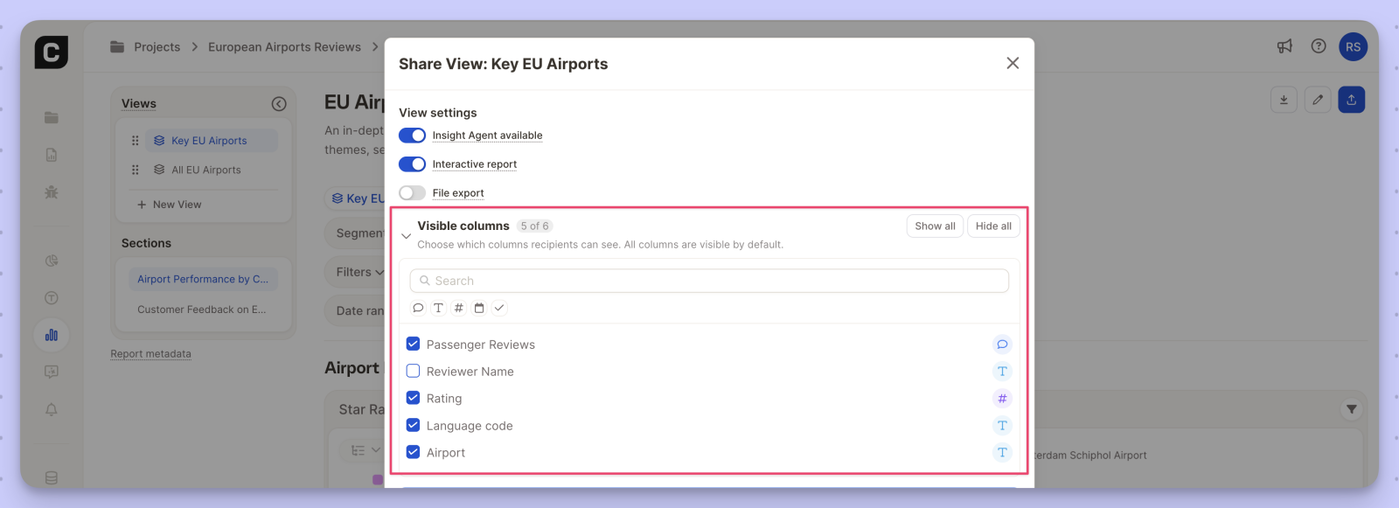
What's new
- New Visible columns section in the view sharing settings
- Check or uncheck individual columns per view
- Hidden columns are excluded from the row browser, filters, segments, and insight elements
- All columns visible by default — use Show all / Hide all to reset quickly
- Search to find specific columns in larger datasets
Why it matters Share cleaner, more focused views with external stakeholders or specific teams — without exposing raw data columns that aren't relevant to them.